
Home Store Simulator
2026
Planning plays a crucial role in daily work. You can independently decide where to place items, how to organize passages and ca
Open card ARTICSTRACKER
Web · Polytoria
This is an archive of the Polytoria Client (Windows), version 1.5.6, released on March 13, 2026. It is a part of the 1.0 Client, using Unity as its engine and MoonSharp Lua for scripting. Original directory location of the software was "%appdata%\Polytoria\Client\1.5.6" NOTE: THIS IS THE STANDALONE CLIENT AND NOT THE LAUNCHER. IT IS HIGHLY RECOMMENDED TO AVOID USING THIS CLIENT FOR ONLINE PLAY AFTER UPDATES AND/OR THE RELEASE OF THE 2.0 CLIENT. DOING SO MAY RESULT IN A BAN OR GLITCHES. USE AT YOUR OWN RISK. I AM NOT RESPONSIBLE FOR ANY BREAKAGES OR ISSUES CAUSED BY USING THIS SOFTWARE. THIS IS ONLY AN ARCHIVE OF THE SOFTWARE FOR PRESERVATION PURPOSES ONLY. DUE TO THIS SOFTWARE BEING STANDALONE AND NOT LAUNCHED THROUGH THE POLYTORIA LAUNCHER, IT MUST BE LAUNCHED THROUGH THE COMMAND LINE, OTHERWISE IT WILL EXIT AND REDIRECT TO THE POLYTORIA WEBSITE ON A WEB BROWSER. KNOWN USAGE (CMD): Online Play (NOT RECOMMENDED) > Polytoria Client.exe -network client -token "token obtained through the Polytoria website for authentication" (the URI is polytoria://client/"32characterlongrandomtoken", which is fed through the launcher that is located at "%localappdata%\Programs\Polytoria\Polytoria.exe", The URI is simply passed through the command line like this "Polytoria.exe polytoria://client/token") (the token is obtained from the website, by pressing the play button on a chosen game on the website (must be signed in), which will normally prompt on the browser to open the Polytoria launcher if installed. The program associated with the URI link can be modified through the registry editor at this registry "HKEY_CLASSES_ROOT\polytoria\shell\open\command" and modifying the "(Default)" string value. "C:\Users\<User>\AppData\Local\Programs\Polytoria\Polytoria.exe" "%1") (This can be modified to run a batch script which prints the URI, which is the "%1" variable. No batch script will be provided for this archive. However, it is not difficult to create one, which then can be used by modifying the registry value mentioned above which points to the batch script.) Offline Play (MUST HAVE LOCAL .POLY FILES CONTAINING PLACE DATA) > Polytoria Client.exe -solo "C:\path\to\polytoriaplace.poly" (.poly files may be obtained from Polytoria Creator by saving the place data and such into a file, which can be fed through the client. The .poly files for the two starter places (Baseplate and Office Buildings) are not included in this archive.) ( Note that the character model used for the default player character and NPC models is the standard Pauly model, which has been used since March 10, replacing the older "P6" models, both the blocky design and the "action figure" redesign. The player avatar may not be modifiable in offline play.) (-force-d3d12 may be appended to the command line to force D3D12. Same goes for forcing D3D11 with -force-d3d11) All credits goes to Polytoria. © 2026 All rights reserved.
en
b1085c40f2d51426b9e359e76861c2cdff802b222026
Planning plays a crucial role in daily work. You can independently decide where to place items, how to organize passages and ca
Open card

2026
The environment gradually reveals the history of this place through unusual details. Old amulets hang on trees, rituals remain in the houses
Open card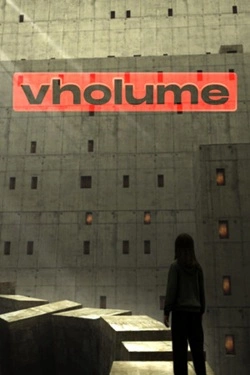

2026
In the shopping center, there are 3682 different products distributed among stores of various categories. There is a supermarket
Open card
2026
Three weeks become the foundation for developing relationships between characters. Shared time allows for gradual understanding
Open card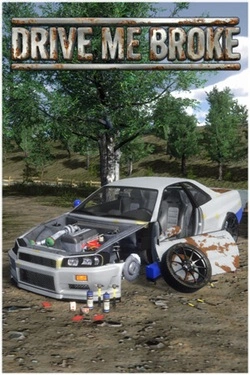
2026
Car is assembled down to the details: you can disassemble old cars, repair parts and manually work on mechanics. More so
Open card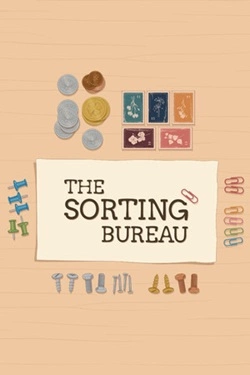
2026
Each order consists of multiple items that differ in shape, material, and purpose. They must be picked one by one and placed
Open card ARTICS TOOLSОнлайн-инструменты для работы с изображениями, файлами, QR-кодами и веб-технологиями.
 ARTICSNETДомены, хостинг, DNS, SSL, электронная почта и управление интернет-сервисами в единой платформе.🚧 Скоро запуск · В разработке
 ARCTICS NETWORKПроверка IP-адресов, доменов, DNS-записей и диагностика сетевых подключений.