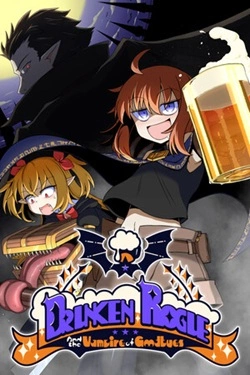
Drunken Rogue
2026
Alcohol does not hinder the heroine from fighting here, but rather becomes the source of her strength. The stronger Lita is drunk, the more powerful her abilities become.
Open card ARTICSTRACKER
Web
Download the large GZ file , 78 GB, and decompress (unzip) it in the program 7zip or WinRar. Install the program Raspberry Pi Imager or Balena Etcher. Burn (record) the image file to either an external USB hard disk drive, or an external USB SSD, or to a very fast and high quality 128 GB micro SD memory card with a brand name such as Samsung PRO, or SanDisk Extreme, or Kingston Canvas Go Plus. Do not use a generic chinese memory card - they are poor quality and can delete data. The unzipped image is about 110 GB in size (or 118343700992 bytes). The files here are valid and not corrupted. If the file that you receive is corrupted then your internet connection was probably interrupted or disconnected for a few seconds. So, I recommend you use JDownloader2 or Free Download Manager (FDM) or AB Download Manager (ABDM) to better download large files, instead of using a web browser. Also install the browser extensions in Chrome or Firefox. View the ports wiki of Recalbox - link here - for more information. View their website - link here - for more information. The correct MD5 hash crc number of the the gzip .gz file is: f391a13e5c89b5e54e25886e95a384f8 Check and verify the MD5 hash number of the gzip file that you received in a 7-zip program or in a "hasher" type of program. Watch this video tutorial - https://youtu.be/a6NbjnpW-CM
d36ae701d50c104cafb9ba54973d612775559ed62026
Alcohol does not hinder the heroine from fighting here, but rather becomes the source of her strength. The stronger Lita is drunk, the more powerful her abilities become.
Open card
2026
Before diving, you can select the necessary equipment for a specific task. Some tools help catch fish, others will be useful
Open card
2026
Planning plays a crucial role in daily work. You can independently decide where to place items, how to organize passages and ca
Open card

2026
The environment gradually reveals the history of this place through unusual details. Old amulets hang on trees, rituals remain in the houses
Open card
2026
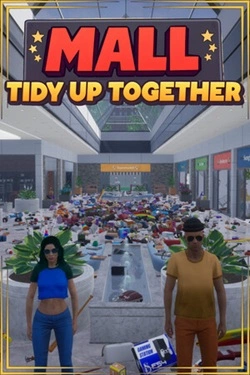
In the shopping center, there are 3682 different products distributed among stores of various categories. There is a supermarket
Open card
2026
Three weeks become the foundation for developing relationships between characters. Shared time allows for gradual understanding
Open card ARTICS TOOLSОнлайн-инструменты для работы с изображениями, файлами, QR-кодами и веб-технологиями.
 ARTICSNETДомены, хостинг, DNS, SSL, электронная почта и управление интернет-сервисами в единой платформе.🚧 Скоро запуск · В разработке
 ARCTICS NETWORKПроверка IP-адресов, доменов, DNS-записей и диагностика сетевых подключений.