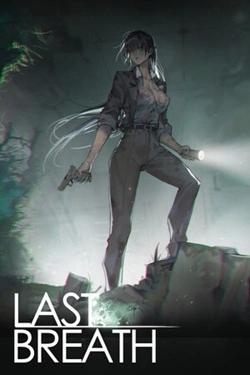
Last Breath
2026
Fungal spores rapidly transformed people, turning the infected into insane "fungus corpses". Guan Jing is not a trained soldier.
Open card ARTICSTRACKER
1994 · MS-DOS
============================== LORDS OF MIDNIGHT, THE CITADEL ============================== EXPLORING THE BLOOD MARCH ------------------------- The module on this disk allows you to explore the realms of the Blood March, the land where "Lords of Midnight, The Citadel" takes place. System Requirements ------------------- i386/i486 processor (486 recommended) VGA graphics card Mouse 4 megabytes RAM If you only have 4 Meg of RAM, the program will just squeeze in by the time DOS and suchlike have grabbed their share of memory. Please ensure the maximum amount of memory is available for the program. The program runs in protected mode and needs a large chunk of contiguous extended memory to run properly. To find out just how much is available on your machine, type MEM. A typical message back will read:- 655360 bytes conventional memory 655360 bytes available to MS-DOS 561100 largest executable program size 3145728 bytes total contiguous extended memory 3145728 bytes available contiguous extended memory The memory configuration shown here is sufficient to run the program. The important figure is the BYTES AVAILABLE. Various things in your your CONFIG.SYS will considerably reduce available extended memory - Smartdrive and EMM for instance. To maximize available memory, REM out as many device drivers as you can from your CONFIG.SYS (they all begin DEVICE=) and then reboot your system before running 'CITADEL'. Installing ---------- [PC Review's instructions] Then type CITADEL and press return to start the program. Finding your way around ----------------------- When playing Lords of Midnight, notionally you have your nose buried in a magical book, the Book of the Blood March, a book that writes itself as your read ! The mouse controls the movement of your hand across the pages and when you click on the left mouse button, your index finger touches the page. Simply move your finger over an icon and its purpose will be explained. To use the icon, touch it by clicking with the mouse. Whenever the page has a turned-back corner, touching the corner will take you back to the page you were last looking at. The first page that you see after opening the Book of the Blood March is the Here and Now page, a special page that allows you to take part in the unfolding story. By touching the icon of the rearing horse, you can become part of the scene on the page and the character you command can move freely through the landscape. Now, instead of the mouse controlling your hand, it controls the movement of the character you command. To stop 'doing' and start 'reading' again, you must press the space bar on your keyboard. When you open the book, there is a character standing waiting nearby who will talk to you if you move close to him and press 'T'. When in conversation, moving the mouse backwards and forwards will scroll through the things you can say. Clicking the mouse button actually triggers your character saying the chosen words. The conversation, by the way, is only a sample one; because this module is dedicated to exploration, the true in-game conversations have little bearing. Finally, a cheat ! To help you roam far and wide through the lands of the Blood March, we've left one of our favourite cheat keys in. To teleport your character directly to any chosen location, go to the map, point to the place you want to go with your finger (your on-screen finger, of course) and press 'P' on the keyboard. Then, returning to the Here and Now page, you will find yourself magically transported to the new location. Have fun ! Mike. Keyboard Usage -------------- KEY DESCRIPTION MODE ~~~ ~~~~~~~~~~~ ~~~~ '1' 1st person view (Action) '2' to '9' Various camera views (Action) 'T' Talk to person in close (Action) proximity 'SPACE' Quit landscape movement (Action) 'M' Minute key which stops or (Action) restarts the daylight clock 'F9' Step time on 1 hour (Action) 'F10' Step time on 10 days (Action) 'KEYPAD -' Decrease landscape detail (Action) 'KEYPAD +' Increase landscape detail (Action) 'P' Move straight to map position (Map) pointed at by your finger 'ESCAPE' Index 'F1' Almanac & Bestiary 'F2' Map 'F3' Heroes and Villains 'F4' The Travellers Guide 'F5' Here and Now 'F6' Fellowships 'F7' The Chronicle 'F8' The Alliance 'KEYPAD ENTER' Return to MS-DOS
en
1769ae97038095b3a29e513acc4cfd16eff9117b2026
Fungal spores rapidly transformed people, turning the infected into insane "fungus corpses". Guan Jing is not a trained soldier.
Open card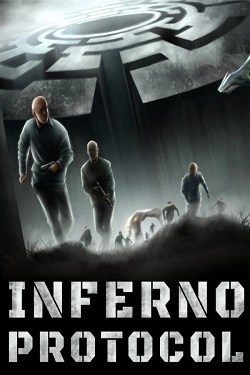
2026
To avoid getting lost permanently, you'll have to create your own system of landmarks. Leave marks on walls, throw objects into
Open card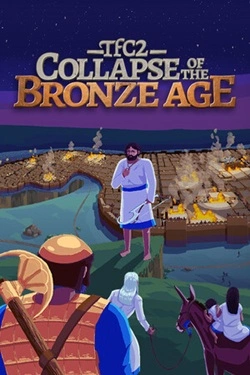
2026
The world gradually loses stability, and powerful states face threats that even si cannot avoid
Open card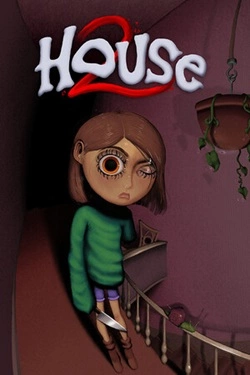
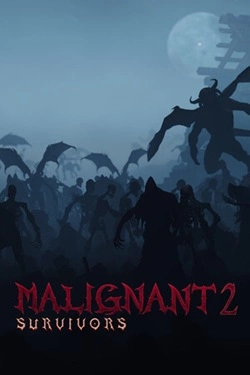
2026
Each new attempt can significantly differ from the previous one due to the vast number of available items. In the game there are
Open card
2026
Each broken bottle brings money that can be invested in bit development and overall efficiency improvement. Gradually appear with
Open card
2026
The development of your own network begins with smart management of existing stores. You need to decide which products to offer visitors, where n
Open card
2026
Heroines' Stories The core gameplay becomes matches with precious stones where you need to find the right combinations and
Open card ARTICS TOOLSОнлайн-инструменты для работы с изображениями, файлами, QR-кодами и веб-технологиями.
 ARTICSNETДомены, хостинг, DNS, SSL, электронная почта и управление интернет-сервисами в единой платформе.🚧 Скоро запуск · В разработке
 ARCTICS NETWORKПроверка IP-адресов, доменов, DNS-записей и диагностика сетевых подключений.