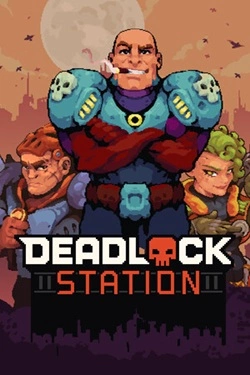
Deadlock Station
2026
The battlefield can be used not only as a collision point but also as an additional tool. Build walls, block the passage
Open card ARTICSTRACKER
MS-DOS · Electronic Arts
Welcome. Below is a brief description of 688 ATTACK SUB. To run the game, we suggest you print this document for reference, as it contains several keyboard commands needed throughout the game. At any time though, you can find a list of the key commands available on your screen by pressing F1 (the SPACE BAR advances to the next help screen, ESC exits help). The first time you run the game, you might want to start by pressing the F1 key, visit all your sub's stations, and press F1 at each station. BEFORE YOU START... If you haven't already done so, please make a backup of your 688 ATTACK SUB disk. 688 ATTACK SUB is not 'copy protected' software, you should make a backup copy of this disk using DISKCOPY (consult your DOS manual if you don't know how to use DISKCOPY). Always play from your backup copy! IF YOU DON'T HAVE A HARD DISK: 1. Place your 688 ATTACK SUB disk in your floppy disk drive. 2. At a DOS prompt, (A: for instance) type the letter of the floppy drive that contains this disk, no space, a colon, then press ENTER. 3. Type CD \ then press ENTER. 4. Type 688 then press ENTER. 5. Follow the intructions you see on the screen. IF YOU DO HAVE A HARD DISK: You can copy all the files on your 688 disk to your hard disk. We have provided INSTALL.BAT, which will copy all the files from this disk onto a subdirectory called MAXELL at the root of your hard drive. 1. Place your 688 ATTACK SUB disk in your floppy disk drive. 2. At a DOS prompt, (A: for instance) type the letter of the floppy drive that contains this disk, no space, a colon, then press ENTER. 3. Type CD \ then press ENTER. 4. Type INSTALL, then press ENTER. 5. Follow the intructions you see on the screen. 6. Once INSTALL has finished, type 688 then press ENTER. 7. Follow the intructions you see on the screen. ONCE THE GAME IS LOADED... You will be asked to select between two scenarios. We suggest you start with scenario one, the training exercise. Type the number of the scenario you would like to play. First you will receive a mission description, your mission orders, and then you will find yourself at the Con (control room) of a 688 ATTACK SUB (688 is the hull number of the USS Los Angeles, the first of this class of nuclear attack submarines). The game is paused whenever you are at the Con, so there is no rush. You should press F1 to get help. The Con is where you access different control areas (stations) of your sub, including the STATUS SCREEN, the SHIP'S CONTROL PANEL, the PERISCOPE, the NAVIGATION BOARD, the WEAPONS CONTROL PANEL, and the SONAR ROOM. FIRST, THE BASICS... Our interface is very versatile. The interface is divided into levels. At the top level is the CON. The Con provides access to the next level down, called STATIONS (Stations can be rooms or panels). At every Station are FUNCTION BUTTONS, INDICATORS, and a DISPLAY SCREEN. The function buttons are grouped into areas of related functions (all the rudder positions are a group for instance). All functions have 'hot spots' associated with them. Hot spots are areas that perform a function if you press ENTER or a mouse button while at that location. There are many ways you can select hotspots. Choose whatever suits your style... The TAB key will move you between all the groups available on your screen. The LEFT and RIGHT arrow keys will move between all positions inside a group. The UP and DOWN arrow keys will move to every position on the screen, regardless of groupings. Press ENTER to make a selection. There are QUICK KEY assignments for most functions. Press the letter associated with the function, and your cursor will go directly there. Often the QUICK KEY is the first letter of the function, pressing F1 at a station will list the assignments (if a function has a QUICK KEY assignment, it is printed in bold after the colon next to the function name in the help box). Press ENTER to make the selection. The FUNCTION KEYS are assigned only to the stations, F2 through F8. F1 gives you HELP on every screen. A MOUSE (with a Microsoft(TM)-compatible mouse driver) will move your cursor anywhere on the station screen. When you are over a hot spot, your cursor will change appearance. Press any button on the mouse to select that function. The NUMBER keys across the top of your keyboard are assigned to function groups on each screen, and the groups are numbered top-to-bottom, left-to-right. Pressing a number will move you directly to the assigned group. Since the screens vary slightly, the number assignments can vary (the 3 key will not always take you to the TARGET button for instance). Press ENTER to make the selection. All these methods can be used with each other- You may mouse over to a particular button, press ENTER to activate it, go directly to a station with a FUNCTION KEY, type a QUICK KEY followed by the mouse button to make another selection. Beginners should find this easy to try. With practice you can find the method fastest for you. The stations in 688 ATTACK SUB have much in com
6f14d63afab3c1d3eb8c33d19fece8de5ed4374e2026
The battlefield can be used not only as a collision point but also as an additional tool. Build walls, block the passage
Open card
2026
The story is built around multiple decisions that determine the direction of the narrative. Different actions open up new events
Open card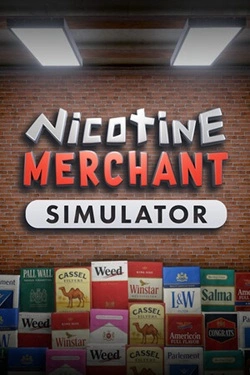
2026
Work begins with manufacturing products and preparing them for sale. Then, finished goods must be packed and placed on
Open card
2026
Numerous levels are filled with mechanical and organic enemies, and the surrounding environment constantly offers new attack methods. And
Open card

2026
Southern U.S. cities become the main setting for the new route. You can travel by rail through Miami, Fort Lauderdale and surrounding areas
Open card
2026
During peaceful phases, the main focus is on preparing the state for future battles. Strengthen allied forces, distribute available
Open card
2026
A significant portion of the role involves checking people and documents. Study identification documents, verify the authenticity of visas and permits
Open card ARTICS TOOLSОнлайн-инструменты для работы с изображениями, файлами, QR-кодами и веб-технологиями.
 ARTICSNETДомены, хостинг, DNS, SSL, электронная почта и управление интернет-сервисами в единой платформе.🚧 Скоро запуск · В разработке
 ARCTICS NETWORKПроверка IP-адресов, доменов, DNS-записей и диагностика сетевых подключений.