
Big Tiddy Goth Baddie
2026
Received hearts allow you to acquire improvements and increase the efficiency of future earnings. The player chooses, n
Open card ARTICSTRACKER
Linux · RETRORiAN · RETRORiAN
Guide to optimizing an R36S Clone Handheld rk3326-Variant This guide provides a structured step-by-step approach to restoring and optimizing a clone model of the popular handheld retro console R36S - particularly in cases where users have been misled by an online purchase (e.g., via AliExpress, Amazon, or TEMU) and received a non-original device. With a bit of effort, even a disappointing clone can become a fully functional retro handheld. Thanks to the community and tools like RetrOS , even a device of questionable origin can evolve into a capable classic gaming emulator. Stay updated, download new releases, and rediscover your favorite classics - frustration-free. ...and of course, everything continues as usual: RETRORiAN proudly presents (in addition to everything else) his hand-picked retro games, running flawlessly and without any unnecessary extras. Just pure, clean retro gaming. Delivered through a spotless install of RetrOS Linux, packed with only the finest video games. Full documentation 🇬🇧 RetrOS - Compendium K omplette Dokumentation 🇩🇪 RetrOS - Kompendium Step-by-Step Instructions (in short) microSD Card 1: Install Operating System Download the file 16GB_microSDCard_OS.zip from the directory 01 - 1st microSDCard [RetrOS] Extract → image file: RetrOS_RETRORIAN_EDITION_20250601.img Write image to a 16GB microSD card using Etcher (or similar) Insert the card into the right slot of the handheld microSD Card 2: Prepare Data Storage Format the card as FAT32 and label it: ROMS Download and extract the file 2ndMicroSD_basics.zip from the directory 02 - 2nd microSDCard [Basics] Copy the extracted contents directly into the root directory of the microSD card microSD Card 2: Adding ROMs Download , e.g., gb.zip , gba.zip , gbc.zip from the directory 03 - 2nd microSDCard [ROMs] Extract and copy into the corresponding folders on the microSD card Insert the card into the left slot of the handheld Start console → boot screen: RETRORIAN EDITION Get in your game → enjoy your refurbished device --- --- --- --- --- --- --- --- --- Hardware Requirements 1 × R36S Clone (rk3326 variant) 1 × PC (Windows, macOS, or Linux) 2 × microSD cards (16 GB for the OS and 64, 128 or 256 GB for ROMS) 1 × microSD card reader (internal or USB) Software Requirements Etcher , Rufus , or Raspberry Pi Imager (for flashing SD card images) 7-Zip (recommended) for extracting .zip files Optional: qBittorrent for faster large file downloads
be4b91e8bea5613c1ba8669ef1d85988b1673c7d2026
Received hearts allow you to acquire improvements and increase the efficiency of future earnings. The player chooses, n
Open card
2026
Each new open scene adds another element to the gallery, so progression becomes a gradual collection. Bright
Open card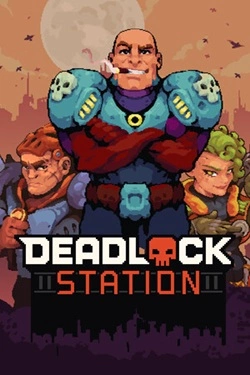
2026
The battlefield can be used not only as a collision point but also as an additional tool. Build walls, block the passage
Open card
2026
The story is built around multiple decisions that determine the direction of the narrative. Different actions open up new events
Open card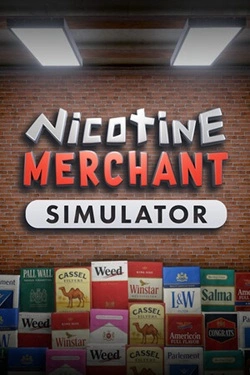
2026
Work begins with manufacturing products and preparing them for sale. Then, finished goods must be packed and placed on
Open card
2026
Numerous levels are filled with mechanical and organic enemies, and the surrounding environment constantly offers new attack methods. And
Open card

2026
Southern U.S. cities become the main setting for the new route. You can travel by rail through Miami, Fort Lauderdale and surrounding areas
Open card ARTICS TOOLSОнлайн-инструменты для работы с изображениями, файлами, QR-кодами и веб-технологиями.
 ARTICSNETДомены, хостинг, DNS, SSL, электронная почта и управление интернет-сервисами в единой платформе.🚧 Скоро запуск · В разработке
 ARCTICS NETWORKПроверка IP-адресов, доменов, DNS-записей и диагностика сетевых подключений.