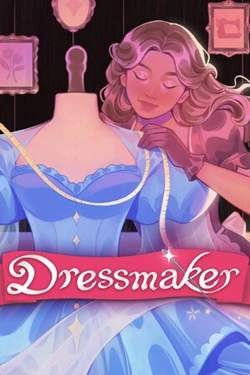
Dressmaker
2026
The dressmaking process begins with preparing the details, where precision in each movement is crucial. You need to align the lines, correctly position the elements n
Open card ARTICSTRACKER
1992 · MS-DOS · Nikolay Soumarokov
S U B H U N T version 1.0 by Nikolay Soumarokov Special thanks to Abdelnasar Khandour for careful testing and for defeating me at this game. * * * SUB HUNT is a computer version of a very simple logic game. The original game was for two players and required nothing except for two sheets of paper and pencils, so it was an ideal game to play during lessons at school. Despite its simplicity, the game was extremely playable, and unlike other games, it was the one that really made players think. In the computer version, I have tried to enhance the game with new options, otherwise no available, such as playing against the computer. At the same time, I have tried to retain the great playability of the original game. REQUIREMENTS The game requires EGA or VGA to work. Unfortunately, it will not work on computers with CGA or Hercules. The hard disk is not needed unless you do not want to wait a few seconds while the game is loading. The mouse is optional, though highly recommended, since playing with a keyboard is slower. Before the game starts, the program scans your system, and if you do not have a mouse, SUB HUNT automatically runs in a keyboard mode. Please note that the game works differently with different versions of mice. On one of the computers I have tested the game on, the mouse pointer did not appear on the Boss Key screen (see BOSS KEY section), so I had to change the program, and now in Boss Key option you can use both mouse and keyboard. However, in the rest of the game, you may use either mouse or keyboard, not both at the same time. Therefore, if the program is incompatible with the mouse you have (although that is very unlikely), you should force the game to run in keyboard mode (see GETTING STARTED section for details on how to do it). PROGRAM FILES SUB HUNT was written completely in Pascal and consists of two files that must be located in the same directory: SUBHUNT.EXE -- the program itself and ICONS.SUB -- all the graphics for the program. GETTING STARTED To run the game, simply type 'SUBHUNT' at the DOS prompt. Two command line parameters can be also used: s -- turns sound off and k -- forces the program to work in keyboard mode. For example, type 'SUBHUNT s' to start the game without sound; type 'SUBHUNT s k' to start the game without sound and in keyboard mode. PLAYING THE GAME The game is played on two 10-by-10-squares playfields, one for each player. At the beginning of the game, each player places his 10 submarines anywhere on his playfield. (In two-player mode, the computer places the submarines of both human players randomly; otherwise, one would always know where his opponent's submarines are situated.) The goal is to find out the positions of enemy's submarines and to destroy them. The player who destroys all 10 opponent's submarines first, wins. The players make their moves one after another; hitting an enemy submarine gives the right for an extra move. After a player selected a target, his opponent tells him, whether he hit a submarine and gives a number of submarines located on the same horizontal, vertical, or diagonal line with the square hit. For instance, if you shoot at square D-5 and the number 3 appears, that means that the total number of submarines on D-0,D-2,...,D-4,D-6,..., D-9 ( vertical line ),A-5,...,C-5,E-5,...J-5 ( horizontal line ), A-2,B-3,C-4,E-6,F-7,G-8,H-9,I-0,H-1,G-2,F-3,E-4,C-6,B-7,A-8 ( diagonal lines ) is three. Similarly, is the number is zero, that means that there are no submarines on the same horizontal, vertical, and diagonal lines with the target square. CONTROLS With mouse, the controls are straightforward -- you click on a square to place a submarine or to select a target, and you click on an icon to execute some function. Use left mouse button; right and middle (if your mouse has one) buttons have no function. With keyboard, you should enter co-ordinates of a square to position a sub or to choose a target -- letter co-ordinate (A-J) comes first, and number co-ordinate (0-9) comes second. To execute a menu function, push a key indicated under corresponding icon. In the main menu, these are 'F' keys (F1-F7). ICONS The main menu is on the top of the screen. The functions of the icons are the following: 1. Click on the leftmost icon or press F1 to get information about the program. 2. The second, the third, and the fourth icons from the left (F2, F3, and F4) are game modes : Human vs Computer, Human vs Human, and Computer vs Computer (Demo) respectively. 3. The fifth icon (F5) is the level of difficulty -- from 1 to 3. (Not available in two-player mode.) The first level is rather easy; with a certain luck, even unexperienced players can beat the computer on it. The third level is very hard, but it IS possible to win. 4. The sixth icon is the time counter -- it shows the number of moves made (extra moves are not counted). You do not to click on this icon -- time is always shown. This option was included to give players some idea on how many moves they ca
en
ed89f7ba815c772fe3f0c6aee00ff6c6d51dbe202026
The dressmaking process begins with preparing the details, where precision in each movement is crucial. You need to align the lines, correctly position the elements n
Open card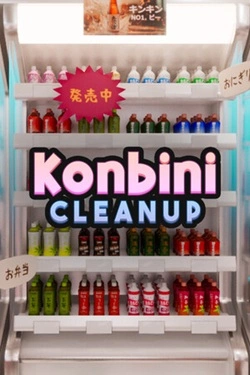
2026
The core gameplay is maximally simple: take an item, determine its category, find the correct shelf, and place the item there
Open card
2026
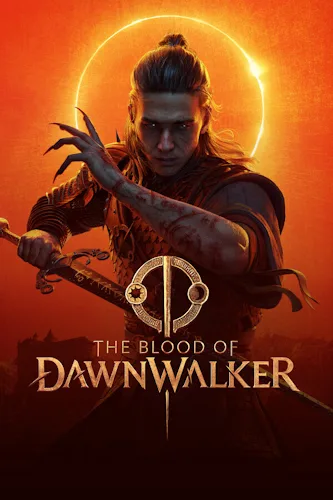
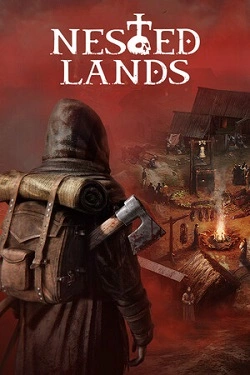
Create your story. Navigate the plot as you wish — you set its direction. Go save your family or swear to avenge your creator and eliminate everyone who stands in your way. Uncover ancient secrets hidden in the valley. Dive headfirst into the chaos of events or wait for the right moment. Act alone o
Open card
2026
The terrifying plague has seized the world, and it has been forever changed. Now, fear and the true madmen it has infected roam through the broken
Open card
 ARTICS TOOLSОнлайн-инструменты для работы с изображениями, файлами, QR-кодами и веб-технологиями.
 ARTICSNETДомены, хостинг, DNS, SSL, электронная почта и управление интернет-сервисами в единой платформе.🚧 Скоро запуск · В разработке
 ARCTICS NETWORKПроверка IP-адресов, доменов, DNS-записей и диагностика сетевых подключений.