
Titanic Escape Simulator
2026
The journey allows you to explore the intricate details of a massive liner and discover areas inaccessible to regular passengers.
Open card ARTICSTRACKER
xmarksthespot81
HEXX: HERESY OF THE WIZARD DOSGAME.AT LOADER / SAVE GAME EDITOR (C) 2026 Eric Steiner / Michael Trede www.dosgame.at About This loader is designed for the verified DOS release of Hexx: Heresy of the Wizard using the supported WIZ.EXE described below. The loader provides two main functions: F1 - Remove Protection F2 - Save Game Editor The original game startup procedure is preserved. The loader starts HEXX.BAT through the active DOS command interpreter, so the original startup chain including SETUP, EMSTEST, ANIMPLAY, CHARGEN and optional Gravis MEGA-EM handling continues to work as intended. Supported Game Version Supported WIZ.EXE: Filename: WIZ.EXE Size: 53,609 bytes The loader checks the executable before applying its protection patches. An unsupported or modified executable is not blindly patched. Protection Removal F1 removes both known protection paths in the supported WIZ.EXE: Startup protection Delayed protection The protection changes are temporary. Before the game starts, the required bytes are patched in WIZ.EXE. After the game exits normally, the loader restores every modified byte to its original value. The restore routine is also called if the game launch fails after patching. The game executable is therefore not intended to remain permanently modified. Save Game Editor Press F2 in the loader menu to open the Save Game Editor. The editor automatically checks the Hexx save slots: HEXX1.SAV HEXX2.SAV HEXX3.SAV HEXX4.SAV HEXX5.SAV Only compatible save files that actually exist are shown. The save selection screen displays: [slot] <save title> <filename> [1] TEST HEXX1.SAV [2] CRYSTAL HEXX2.SAV Hexx stores its internal save title in an 8-character field. Longer names may therefore appear shortened in the editor exactly as they are stored in the save file. Party Page The Party page shows all four current party members together with their current and maximum HP and Magic values. F1 - Set Party To Max This function applies a maximum progression state to all four party members: Level: 15 Experience: 310000 HP: 999 / 999 STR: 99 INT: 99 DEX: 99 CON: 99 Food: 255 Dead flag: Cleared Magic is not forced to one universal value. Hexx calculates maximum Magic from the character class, level and INT, so different classes correctly receive different maximum Magic values. Vitality is refilled to the character's existing maximum. Character Editor Select a party member from the Party page to open the Character Editor. Editable values include: F1 - HP F2 - Magic F3 - Vitality F4 - Food F5 - Revive Character F6 - STR F7 - INT F8 - DEX F9 - CON F10 - Level Level may be set from 1 to 15 . Changing the level updates the corresponding experience threshold and recalculates the class-correct Magic maximum. Changing INT also recalculates maximum Magic. The visible STR, INT, DEX and CON values are the effective character values. When edited, the editor keeps the permanent/base and effective values synchronized. Inventory Editor Press I on a character page to open that character's inventory. Each character has eight normal inventory slots: [1] through [8] The editor displays the real Hexx item names rather than raw hexadecimal item numbers. For each inventory slot you can use: A - Add / Replace Item D - Delete Item Q - Quantity / Charges ESC - Return to Item List Add / Replace Item Items are selected through categories. No raw hexadecimal item entry is required. Available categories are: [1] Head / Body / Gloves [2] Shields / Boots / Amulets [3] Weapons / Bows [4] Ammo / Staves / Wands / Rings [5] Scrolls [6] Potions / Food [7] Keys [8] Torch Inside a category: 1-8 - Select Item ENTER - Next Page ESC - Return to Categories If a category contains more than eight items, ENTER advances to the next page. After the final page, ENTER wraps back to the first page. Quantities And Charges Hexx stores additional data in the high byte of some item entries. The editor handles verified item types appropriately. Stackable quantity items include: Arrows Elf Arrows Hail of Doom Common Key Verified stack quantities may be edited up to 99 . Charges can be edited for supported charged items such as: Staves Wands Rings Items without a verified quantity or charge field are not given a meaningless editable value. Hands / Equipment Press H from the Inventory page to view the character's equipped items. The following positions are displayed: Head Armour Gloves Shield Boots Amulet Left Hand Right Hand This page is intentionally READ ONLY . The inventory editor changes possession of items, while the original Hexx game logic remains responsible for determining whether a character can equip or use a particular item. Backpack Press B from the Inventory page to edit an existing Backpack. Hexx stores Backpack contents in separate container records rather than inside the normal eight inventory slots. A valid existing Backpack provides twelve additional slots . The Backpack editor supports: Slots 1-9 Slots A-C The loader edits only an already existing, val
en
508be8b4566d5f6c104700cc072f7aade3c408122026
The journey allows you to explore the intricate details of a massive liner and discover areas inaccessible to regular passengers.
Open card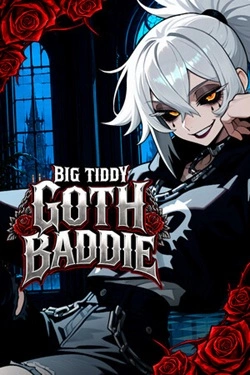
2026
Received hearts allow you to acquire improvements and increase the efficiency of future earnings. The player chooses, n
Open card
2026
Each new open scene adds another element to the gallery, so progression becomes a gradual collection. Bright
Open card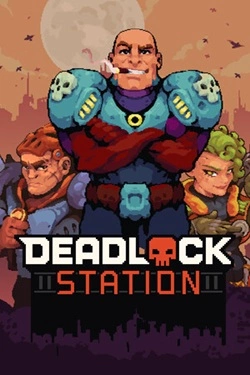
2026
The battlefield can be used not only as a collision point but also as an additional tool. Build walls, block the passage
Open card
2026
The story is built around multiple decisions that determine the direction of the narrative. Different actions open up new events
Open card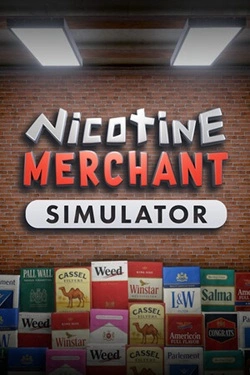
2026
Work begins with manufacturing products and preparing them for sale. Then, finished goods must be packed and placed on
Open card
2026
Numerous levels are filled with mechanical and organic enemies, and the surrounding environment constantly offers new attack methods. And
Open card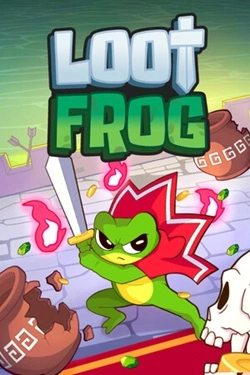
 ARTICS TOOLSОнлайн-инструменты для работы с изображениями, файлами, QR-кодами и веб-технологиями.
 ARTICSNETДомены, хостинг, DNS, SSL, электронная почта и управление интернет-сервисами в единой платформе.🚧 Скоро запуск · В разработке
 ARCTICS NETWORKПроверка IP-адресов, доменов, DNS-записей и диагностика сетевых подключений.