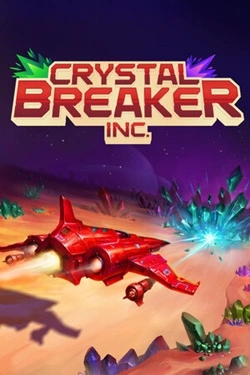
Crystal Breaker Inc
2026
Crystal breaking provides the necessary resources that can be invested in improving the main weapon. More powerful weaponry provides
Open card ARTICSTRACKER
Android · PlayStation 2 · PlayStation Portable · Xbox · Nintendo 64 · Game Boy · Super Nintendo · Arcade
You can contact me by email at pitabreadandroid (@) gmail.com and I will help you. Here is a backup of a 128 GB memory card from a M88 Game Stick with thousands of classic arcade, snes, atari, gameboy, N64, (etc) games. The size of the image file is 125844324352 bytes, about ~117 GB. The image file is compressed in a Rar file, at about 49 GB in size. Notice : 3D PSP games, PSX (PS1) games and PS2 games were deleted in the image file. Here are lists of the games that were deleted in the image but were originally on the sd memory card. Click on the links given below to open a corresponding text file. PSP list , PS2 list , and PSX (PS1) list . The absent games should be downloaded and copied to your new sd memory card one by one after you burn the image file to your card. The file names and file format (chd, or cso) must be correct. Scroll down to the bottom of this page and you will see links to download various playstation games. Click the button [ SHOW MORE ] at the bottom of this page. I recommend that you Login to this archive.org website before downloading any files. If you don't Login, then some downloads can fail. You can replace a game file with another game file in the \roms folder in order to play a different game. For example, play Ghost Busters in PS2 instead of Dragon Ball Z. Watch this tutorial video HERE to see an example. https://archive.org/details/m88-gamestick-replace-game-tutorial-video In each folder of roms for each game platform, there is a "gamelist.xml" text file. For example SDCARD\ps2\gamelist.xml . You can try to edit this text file in Notepad++ (notepad-plus-plus) to add new games. but I was not successful. ☻ Text on the motherboard (placa) is R09 V1.1, 2025/2/14 (20250214). The main processor chip is probably octa-core (8 cores) running at about 2.0 Ghz. The GPU (graphics processor) is probably Mali G52 . There are rumors that the processor chip is a " Unisoc Tiger T618 ". This processor model is commonly used in many handheld portable game consoles made by Anbernic and other brands. The software (firmware) system on the motherboard is some kind of Android. (Not EmuElec). Known emulator apps on the game stick are RetroArch and AetherSX2. The system and menus are locked and limited. The menus can not be modified. The games lists in menus can not be easily updated. If you have helpful technical information about this game stick and know how to add new games , then please contact me by email at pitabreadandroid (@) gmail.com - Thanks. 📺🎥 Watch these 3 review and presentation videos about the M88 Ps2 Game Stick. About half of all PS2 games play too slowly and are unpleasant on this game stick. I recommend that you do NOT buy this M88 game stick. So, I recommend that you use a small PC with a good 8-core CPU, or a Orange Pi 5, or a Raspberry Pi 5 with 4 GB RAM and either Batocera or Recalbox console software to play PS2 games at full speed. Also, Retrobat console software can be installed in Windows 10/11. 1. https://archive.org/details/youtube-wHVZBekAt1w 2. https://archive.org/details/youtube-R4Ut_My2HAQ 3. https://archive.org/details/youtube-zwBcuZyoYhA According to this video youtu.be/_3_4DDf_V14 , the "AetherSX2" emulator version 1.5 3668 from January 2023 is being used to load Playstation 2 (ps2) games. AetherSX2 emulator is old, defunct and no longer being developed or improved. The better choice is to use the latest version of NetherSX2 or PCSX2 emulators. Remember to first Login to this archive.org website before downloading any files. Okay, then click the SHOW ALL button at the right-side of this page, and Download the large Rar file " backup-m88-ps2-missing_games.rar " 49 GB , and decompress (unzip) it. Get a new memory card 128 GB and burn the image file to the card in Balena Etcher, Win32DiskImager or USB Image Tool . Do not use any chinese generic memory card - they can cause problems and lose data. The correct MD5 hash crc number of the rar file is: d0a4ca055f9616482d377a39f514f572 Verify the MD5 hash number of the rar file that you received in the 7-zip program or in a 'hasher' type of program. Contact me PitaBread by email at pitabreadandroid (@) gmail.com and I will try to help you. Notice: There is no Android firmware nor any other system firmware here. There is only a modified backup copy of the original SD memory card here. I am unable to help you with the Android system or firmware because I don't know how. If your Android system is not working, then contact the seller, vendor or customer support for your product order purchase.
1d8ca3cf6eecf146c9c75ea0366fb240143635fc2026
Crystal breaking provides the necessary resources that can be invested in improving the main weapon. More powerful weaponry provides
Open card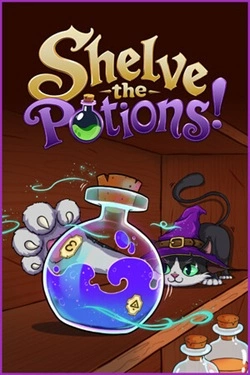
2026
Main activity involves restoring shelves, each of which requires a separate approach. Some rules can be understood by the external
Open card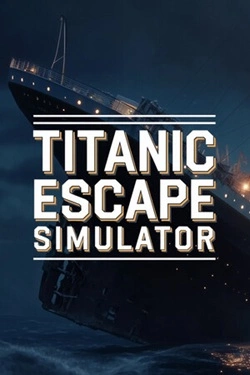
2026
The journey allows you to explore the intricate details of a massive liner and discover areas inaccessible to regular passengers.
Open card
2026
Received hearts allow you to acquire improvements and increase the efficiency of future earnings. The player chooses, n
Open card
2026
Each new open scene adds another element to the gallery, so progression becomes a gradual collection. Bright
Open card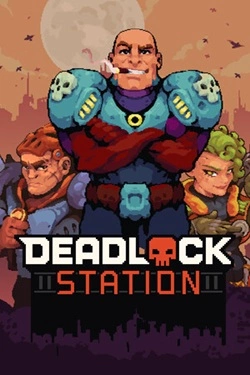
2026
The battlefield can be used not only as a collision point but also as an additional tool. Build walls, block the passage
Open card
2026
The story is built around multiple decisions that determine the direction of the narrative. Different actions open up new events
Open card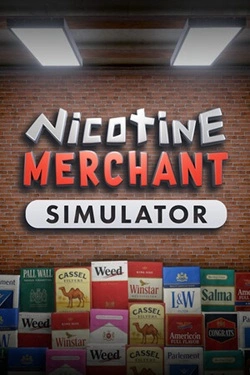
2026
Work begins with manufacturing products and preparing them for sale. Then, finished goods must be packed and placed on
Open card ARTICS TOOLSОнлайн-инструменты для работы с изображениями, файлами, QR-кодами и веб-технологиями.
 ARTICSNETДомены, хостинг, DNS, SSL, электронная почта и управление интернет-сервисами в единой платформе.🚧 Скоро запуск · В разработке
 ARCTICS NETWORKПроверка IP-адресов, доменов, DNS-записей и диагностика сетевых подключений.