
The Pale Mimic
2026
During the day, the forest may seem almost calm, but any journey outside the shelter is risky. Hunting becomes necessary: need to
Open card ARTICSTRACKER
Windows · Arcade
Download the large ISO IMAGE .img file , 58 GB. Install the program Raspberry Pi Imager or Balena Etcher. Burn (record) the image file to either an external USB hard disk drive, external USB SSD, or to a very fast and high quality 64 GB micro SD memory card with a brand name such as Samsung Pro, or SanDisk Extreme, or Kingston Canvas Go Plus. Do not use a generic chinese memory card - they are poor quality and can delete data. You can use latest version 25 of 7zip https://7-zip.org in Windows to check CRC checksum hash numbers of the file " RPI5_BatoceraV41_Essential_Collection-64gb.img ". Watch these two tutorials videos for more information. 1. https://youtu.be/YM2CE6zKvoo 2. https://youtu.be/_hFy8XoxqnI 3. https://youtu.be/a6NbjnpW-CM You can also use a terminal tool in command-prompt in Windows as such: certutil -hashfile RPI5_BatoceraV41_Essential_Collection-64gb.img md5 or in PowerShell in Windows 10/11 as such: Get-FileHash -Algorithm MD5 -Path RPI5_BatoceraV41_Essential_Collection-64gb.img MD5 CRC checksum hash number 3acbe8afa7aa09abd3526ddb15340a38 Size in bytes 62239277056 If the file size or CRC (checksum hash) of the file that you downloaded is different than the text written above, then your internet connection was probably disconnected or interrupted. So,I recommend you use JDownloader2 or Free Download Manager (FDM) or AB Download Manager (ABDM) to better download large files, instead of using a web browser. Also install the browser extensions in Chrome or in Firefox. Check your internet service for a good stable connection and try to download the file again but use a Download Manager program.
aeab2d6ef7baaf514435985cef2fdc0a4f01975e2026
During the day, the forest may seem almost calm, but any journey outside the shelter is risky. Hunting becomes necessary: need to
Open card
2026
4 has always relied on herself after the losses she endured, but her desire to help others gradually comes up against questions
Open card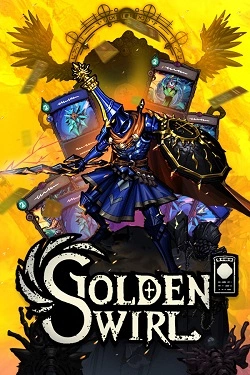
2026
Relics and runes significantly expand card capabilities, allowing the collection of builds with different focuses. Some combinations bet on sequence
Open card
2026
To have an island capable of accommodating tourists, it must be equipped with all necessary resources. Hunting, growing products and production
Open card
2026
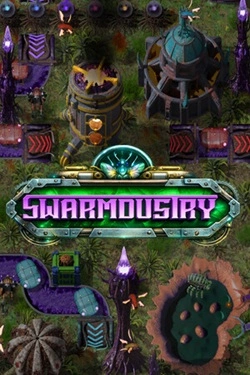
Initially, a significant portion of the work has to be done manually, but over time manual labor gives way to automation. Different presta
Open card

2026
At the beginning, you practically have nothing, so you'll have to buy equipment with money earned from fishing. You can catch fish, sell
Open card ARTICS TOOLSОнлайн-инструменты для работы с изображениями, файлами, QR-кодами и веб-технологиями.
 ARTICSNETДомены, хостинг, DNS, SSL, электронная почта и управление интернет-сервисами в единой платформе.🚧 Скоро запуск · В разработке
 ARCTICS NETWORKПроверка IP-адресов, доменов, DNS-записей и диагностика сетевых подключений.