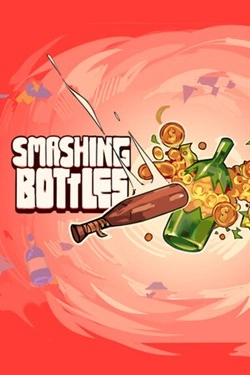
Smashing Bottles
2026
Each broken bottle brings money that can be invested in bit development and overall efficiency improvement. Gradually appear with
Open card ARTICSTRACKER
iOS · Anonymous
This is a port and preservation attempt of the iOS exclusive Infinity Blade I to Windows PCs. Infinity Blade I, developed by ChAIR entertainment, released in December of 2010 and was met with universal praise for its groundbreaking visuals and gameplay. In 2018, Infinity Blade I and its sequels were delisted from the AppStore, and in 2020, they were removed permanently, making the games impossible to legally obtain and install. This port aims to preserve what was lost by bringing the original Infinity Blade I experience to PC, with some minor alterations to better accomodate a PC experience. Enjoy Infinity Blade 14 years after it first came out! Disclaimers: The materials used to produce this port have been publicly accessible in forums since 2014. The game itself has been made impossible to purchase since 2018, and impossible to download since 2020, despite having purchased the title. This port only distributes the files required to run the game. In other words, there is little difference between what's available on iOS and PC versions. All efforts on this port have been done purely for the sake of lost media preservation. Credit is given to the rightful authors; we take zero credit for this producing this work and gain nothing in return. Platforms The port targets x64 Windows, but the community has confirmed the following configurations to work: Linux via Wine, Lutris, or Proton. macOS via Crossover or Parallels. Steamdeck via Proton. Features Keybinds for abilities such as dodging, blocking, stabbing, and more Standalone launcher to tweak graphical settings and controls Vastly improved texture quality over iOS Uncapped framerate Optional dynamic shadows and godrays Audio sliders to control music and SFX separately Easy save management FAQ What's the difference between the .zip and .7z downloads? Both downloads contain the same files, but the .7z file is half the size of the .zip file, which will download faster. The .zip file is included for compatibility in case your device cannot open .7z archives. How can I view and edit the keybinds? Controls, keybinds, and graphical settings are configurable from within the launcher. Where are saves stored? Saves are stored in the user documents folder, under 'My Games/Infinity Blade/SwordGame/Saves'. The launcher is telling me I don't have DirectX runtime installed. What should I do? The game will not run if the DirectX 9 runtime is not installed, which you can download from Microsoft's website. Are there any console commands? Yes! In order to use commands, you must set keybinds for the console under the launcher's advanced tab. Popular commands include: toggledebugcamera - unties the camera from the player, allowing you to 'freecam' across the map setplayergold x - sets the player's gold to x , where x is an integer number exitbossfight - instantly kill any titan the plaer may be fighting. Titan must be in range for this command to work pause - pauses the game logic but keeps rendering and freecam intact. Great for taking screenshots! slomo x - sets the overall game speed to x , where x is a decimal number Changelog v1.0.4 Added Rookbane titan Overhauled Chinese and Korean fonts to match those found on iOS Fixed being able to use super during tap battles, battle transitions, and glory mode Fixed being able to use magic during tap battles or after being defeated by the God King Fixed a softlock that could occur if the player picked up certain treasures before the look tutorial, or in the rare case where no treasures would spawn Fixed a softlock that could occur if the player managed to get the Dark Knight's health to a certain threshold Fixed a softlock that could occur when the player leveled up equipment in NG+ Fixed the `Quit Game` prompt being able to prompt the user multiple times during the final cutscene Fixed incorrect currency characters for various locales Fixed invisible Legion helmet for Arena mode Fixed Throneroom skydome not rotating Fixed English credits bug Fixed missing top half for inverted question marks Fixed the launcher saving garbage values when the infinite fps option was selected Performance improvements Optimized specular textures Removed dependencies on Nvidia's PhysX and Apex Clothing Restored ability for ini file edits to propagate to the game v1.0.3 Dodge scale option has been re-implemented High-resolution pause and fast forward buttons have been added Added a hotkey to participate in tap battles Added auto-stab functionality and an equivalent hotkey, which allows players to stab enemies without the need to click any stab circles The pause hotkey is now capable of unpausing the game, and acts as a back button when used inside menus Added missing "Quit game" translations for Brazilian, Dutch, Portuguese, Russian, and Swedish languages via machine translation. The launcher has a version string to the bottom left-hand corner of the options window Vanilla bug fixed: dodge scale is now properly taken into account. Previously, tapping anywh
b8f3526d8637fe6947298c7771db0cf5ad9167e52026
Each broken bottle brings money that can be invested in bit development and overall efficiency improvement. Gradually appear with
Open card
2026
The development of your own network begins with smart management of existing stores. You need to decide which products to offer visitors, where n
Open card
2026
Heroines' Stories The core gameplay becomes matches with precious stones where you need to find the right combinations and
Open card
 ARTICS TOOLSОнлайн-инструменты для работы с изображениями, файлами, QR-кодами и веб-технологиями.
 ARTICSNETДомены, хостинг, DNS, SSL, электронная почта и управление интернет-сервисами в единой платформе.🚧 Скоро запуск · В разработке
 ARCTICS NETWORKПроверка IP-адресов, доменов, DNS-записей и диагностика сетевых подключений.