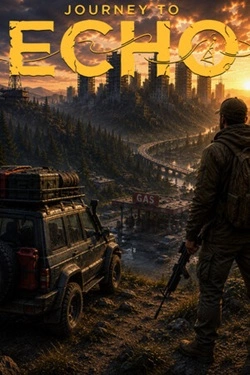
Journey to Echo
2026
Exploration takes place through abandoned cities, forgotten roads, military convoys, remote lakes, and wild terrain where fuel can be found,
Open card ARTICSTRACKER
1988 · Windows · MS-DOS · AKB, John Hoefnagels
Demo program Rubber Band Routing (C)opyright AKB, 1988, John Hoefnagels This program needs special hardware : - Processor : At least IBM AT (12 Mhz), Preferably 386 machine. - Video : VGA or EGA - Mouse : Fully Microsoft Mouse Compatible (Logitech, IBM) Starting the program : There is a file G.BAT available. Syntax : GDIJK file_links file_nodes file_speed/color file_roads timefactor scale_distance scale_coordinates file_initial_places General : Left mouse-button is used for actions, Right mouse-button is for returning to command_line. Commands : Clear : Redraw map as it originally was. Zoom : Zooming out with as result an area twice as large on the screen. Window : Redraw a part of the map. Route : With left mouse-button picking a starting point. The shortest route to every other point in the network will be calculated. The route to the point nearest to the mouse-cursor will be highlighted. On the command line you will see distance and driving time. When the left mouse-button is pressed again, calculation will start at that point, etc. Stopping with route by pressing right mouse-button. Block : Blocking or Deblocking links. Point with left mouse-button to a node. Until the left- or right mouse-button is pressed you will see the link closest to the cursor in a different color. Blocked links will get a bright (yellow) color. Place : Find a place and putting it on the screen with left mouse button. Coord : Shows coordinates of current cursor position. IsoDist: } Isographs on distance or time. IsoTime: } Point one node on the screen en press left mouse-button. If there is enough memory you can point as many nodes as you wish (multi-depot). With right mouse button the reult will be shown. If there is not enough memory the result of the single point will be shown at once. Clear the screen with right mouse-button The different colors have the following meaning : Distance 0 - 25 - 50 - 100 - 200 - 300 - >300 Kilometer Time 0 - 15 - 30 - 60 - 120 - 180 - >180 Minutes
en
ed14a94e15c698bca6e4124dfe9e96d4c599a98b2026
Exploration takes place through abandoned cities, forgotten roads, military convoys, remote lakes, and wild terrain where fuel can be found,
Open card
2026
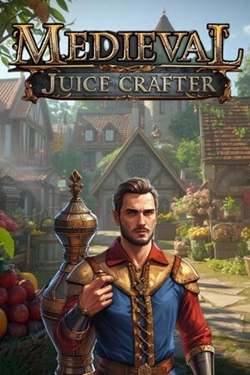
To attract customers, you'll need to thoroughly study the available product range and the properties of each ingredient. One component
Open card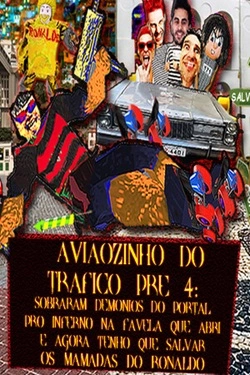
2026
Over 18 levels, the campaign sends the hero to the most diverse areas of Rio de Janeiro, São Paulo, and Salvador, and then
Open card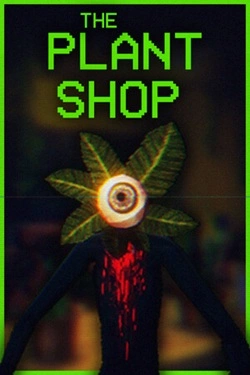
2026
For each order, you need to prepare the appropriate plant, and the entire process starts with several simple components. Pot, soil, seed
Open card
2026
In the garage, there are several zones, each requiring its own approach to organization. Some items need to be placed on workstations, dr
Open card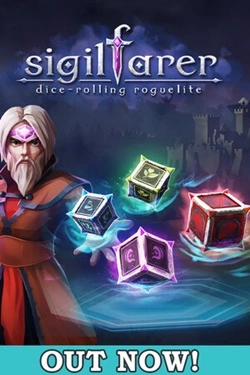
2026
Forming a dice set becomes the foundation of the team's development. Instead of a standard deck here you need to
Open card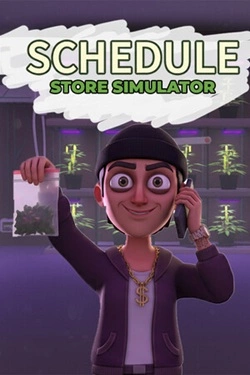
2026
City becomes the main space for organization development: new territories open additional opportunities, and expanded
Open card ARTICS TOOLSОнлайн-инструменты для работы с изображениями, файлами, QR-кодами и веб-технологиями.
 ARTICSNETДомены, хостинг, DNS, SSL, электронная почта и управление интернет-сервисами в единой платформе.🚧 Скоро запуск · В разработке
 ARCTICS NETWORKПроверка IP-адресов, доменов, DNS-записей и диагностика сетевых подключений.