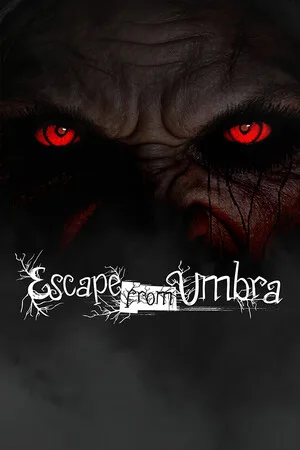
Escape from Umbra
2026
Umbra hunts you. Her eyes watch you from shadows everywhere, and she won't stop until she finds you and permanently seals your soul.
Open card ARTICSTRACKER
2005 · MS-DOS · David Szymanski
*********** *** SPY *** *********** Hopping code productions D.S created 2003-2005 ver 2.8 QBasic program README: INTRO: Welcome to SPY!!! This is a text based shooting/puzzle/RPG game I created. In it, you play a spy that has been hired to infiltrate a evil scientist's laboratory. To do this, you must first survive the evil black forest, and then journey to the scientist's underground laboratory!! Cheesy, isn't it? The zip file that spy came in should include the following... Spy.exe The game readme.txt the readme spy.bas source code for spy (requires QBasic) spy1.bas --- original SPY (requires QBasic) STARTING OUT: To begin, open SPY.exe. On the main menu, click on "Settings". Now, adjust the effect delay, and badguy speed according to the chart below... Effect delay Badspeed Slow computer 500 10 medium computer 1000 60 fast computer 8000 400 you may have to try these settings a couple of times to make sure the work. After the settings are ready, you can play. Open the single player menu and press enter to begin. SINGLE PLAYER MENU: load external level --- This allows you to load a level you or someone else have created with the level editor. random level --- this will create a randomly generated level for you to play. new --- starts a new game warp --- allows you to enter a level code to warp to a level. MULTI PLAYER MENU: random level --- this will create a randomly generated level for you to play. load external level --- This allows you to load a level you or someone else have created with the level editor. load level --- allows you to enter a level code to warp to a level. LEVEL EDITOR: Spy comes with a built in level editor. This can be accessed from the main menu by pressing "e". The keys are as follows T --- test the map you are creating S --- save the current map L --- load a previously created map esc --- exit arrow keys --- move around the map N --- begin a new map +\- --- navigate through available CHRs. Space = place chr NOTE: to place the players starting position, select the yellow X as a chr. Multi player arena maps are easily created by simply making a map that is made for death match rather then single player. It can be loaded by pressing L on the Multi player menu. NOTE: file name can not be longer then 8 characters long and cannot contain spaces or most keyboard symbols. TECH NOTE: Spy supports all ASCII characters as well, but none of them can be put in the level editor. Therefore, you must input them manually. Create the file in the spy level editor and save it. Then, exit and find the save file (See tech note about extensions). Open this with notepad. You should see many columns of number. This is the map. you may now enter the ASCII number of the character you want in the appropriate row/column. This allows you to make more complex screen displays. MULTI PLAYER: SPY supports death match Multi player. Simply start a game from Multi player menu (see MULTI PLAYER MENU for more information). Controls follow: player 1: arrow keys = move around space = fire gun enter = use knife player 2: w,s,a,d = move around f = fire gun g = use knife TECH NOTE: Bullets in Multi player are real time whereas bullets in single player are stop action. This makes them harder to see in Multi player because of flicker. FILES: Spy.exe can run without any of the files included in this download. However, it does use some files. Extensions for spy files .sse : settings file .spy: level .mod: MOD settings .dmy: a dummy file that is used by MODS. can be delete after playing. If SPY cannot find set.sse, it will create a new one. The other files (MODS and levels) are optional. LAYMAN'S NOTE: If you have played SPY, you will likely notice how low graphics it is. Or maybe you have played DARKWOODS or some other such game and have noticed remarkable similarities in the graphics. Well, this is because SPY uses something called TEXT BASED PROGRAMMING. This means that instead of the programer creating his own graphics, he uses text letters or symbols. Now, your probably thinking "Wait a minute, I don't see a smiley face on my keyboard? How is he using that?". Well, QBasic (the language I programed SPY in) provides use of other text symbols other then just the ones you see on your keyboard. These are called ASCII characters. I use these for things such as walls, money, and people. BUGS: As of yet, all major bugs that I found have been fixed. However, if you find one, please e-mail it to me at szymanski@surferie.net. (NOTE: errors that have been found are listed in TROUBLE SHOOTING. The difference is that errors are the users fault whereas bugs are my fault :)) ORIGINAL SPY: About a year before I released this program, I uploaded another program called SPY 1.0. It stayed online for awhile before disappearing altogether. Even though it was never a popular game, I have included it here. Some notes follow... Bugs: bad guy can pass through walls and traps. Only a problem if he happens to pass through the one you are behind. It a
4e07fc3ca14125c1342a94140cd70861ca9271152026
Umbra hunts you. Her eyes watch you from shadows everywhere, and she won't stop until she finds you and permanently seals your soul.
Open card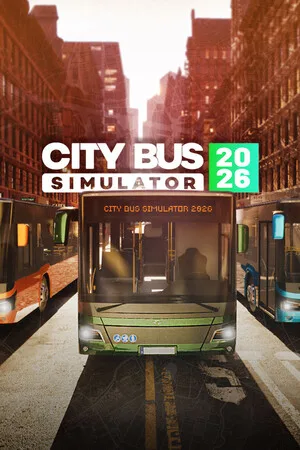
2026
Try the unparalleled adventure behind the bus wheel! Get behind the wheel of City Bus Simulator 2026, the most thrilling and realistic bus simulator. Travel through a massive city area of 40 square kilometers, mastering various bus models with unique characteristics and dynamics. Your task: ensure s
Open card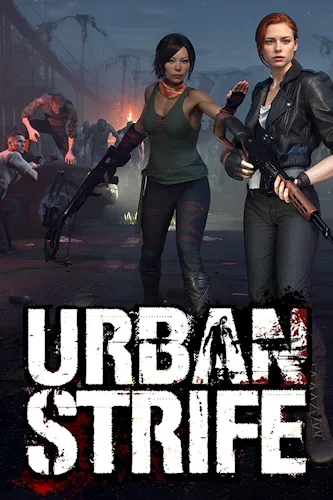
2026
Can you survive against all circumstances in the presence of ruthless gangs and resist the horde of zombies, having only a handful of militia fighters at your disposal?
Open card
2026
Item effects depend not only on characteristics but also on the direction of triggers and connection conditions due to placement. Change positions to alter frequency and routes, creating your own chain rhythm.
Open card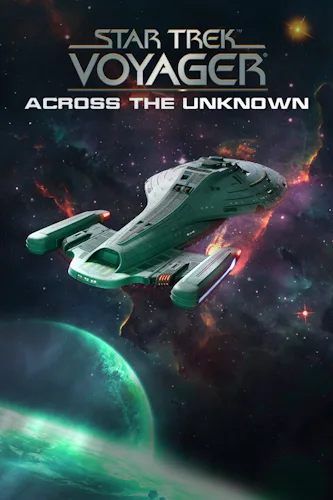
2026
Star Trek: Voyager - Across the Unknown - this is a survival strategy with a deep storyline. In your hands will be the fate of the legendary starship. Take control of the ship, resources, and make complex decisions. Will you deliver the ship and crew home?
Open card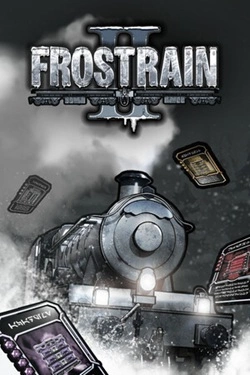
2026
Frostrain :2 — это рогалик, основанный на построении синергий, с ярко выраженным управленческим элементом. В этом замёрзшем мире вам предстоит стать последним машинистом человечества и повести пассажиров за собой. Получайте поезда, размещайте и усиливайте их, производите счастье и принимайте решения
Open card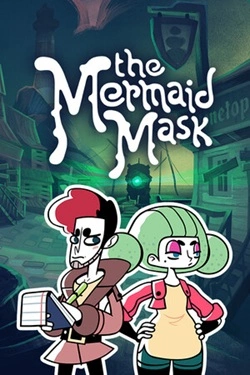
2026
In the dark waters of the abandoned fishing village, stretching along the coast, the captain of the most unusual submarine in the world was killed. Some claim he is immortal and travels through time on it. Others say he was a vampire, eternally imprisoned in the depths of the ocean by a curse...
Open card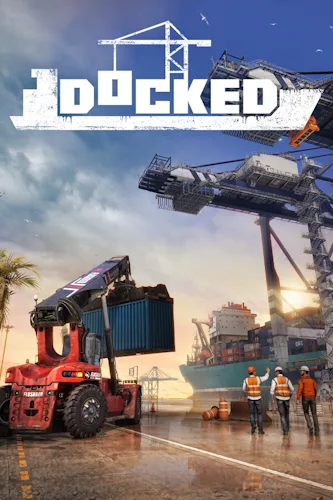
2026
You don't get to rest in the port. Your father's dock was destroyed by a terrible hurricane — take on the responsibilities of the senior operator and deal with urgent matters. Unload ships, supply arriving delivery personnel with necessary materials or medications for those in need, and maintain lar
Open card ARTICS TOOLSОнлайн-инструменты для работы с изображениями, файлами, QR-кодами и веб-технологиями.
 ARTICSNETДомены, хостинг, DNS, SSL, электронная почта и управление интернет-сервисами в единой платформе.🚧 Скоро запуск · В разработке
 ARCTICS NETWORKПроверка IP-адресов, доменов, DNS-записей и диагностика сетевых подключений.