

TORRENT WORLD
Racing Lagoon PC Release
role-playing · racing · Windows · PlayStation · premohq
Racing Lagoon — Unofficial High-Speed PC Release (Complete Installer) — This release provides a complete, standalone PC version of Square's 1999 PlayStation title Racing Lagoon, the self-described "High Speed Driving RPG." The project packages the original game data together with a custom-built configuration launcher and integrated rendering tools into a single installer. No external emulators, BIOS files, plugins, or disc images are required. All components necessary to run the game are included and pre-configured. This release is designed to bring Racing Lagoon to modern hardware with minimal setup time and maximum compatibility. The included launcher serves as a unified control center for all visual, performance, and input settings, eliminating the need for manual configuration of emulator files or system-level tweaks. The installer contains the complete, unmodified Racing Lagoon game data, a custom configuration launcher application, integrated Vulkan and OpenGL rendering backends, pre-configured input handling with modern controller support, all required runtime libraries and dependencies, and automatic desktop shortcut creation. The configuration launcher provides the following options, all adjustable from a single menu interface: Internal rendering resolution can be increased from the original native PlayStation resolution up to 5x. Higher settings produce significantly cleaner 3D geometry, sharper texture detail, and improved overall image clarity. Users with older or lower-powered hardware may prefer lower settings to maintain stable frame rates. Available settings: 1x, 2x, 3x, 4x, 5x. A 16:9 aspect ratio toggle expands the game's field of view to fill modern widescreen monitors without stretching or distortion. This option adjusts the internal rendering geometry so that the game world, HUD elements, and UI are displayed correctly at widescreen proportions. The launcher allows users to select between Vulkan and OpenGL rendering backends. Vulkan is recommended for modern GPUs and generally offers better performance and more efficient resource utilization, particularly at higher internal resolutions. OpenGL is recommended for older systems, integrated graphics, or configurations where Vulkan compatibility is limited. Both backends are fully integrated and require no additional driver or software installation beyond standard GPU drivers. A V-Sync toggle is included to synchronize the game's frame output with the display's refresh rate. Enabling this option eliminates screen tearing during high-speed sequences. Users who prefer reduced input latency may disable V-Sync at their discretion. This release includes automatic detection for modern gamepads, including Xbox controllers, DualShock 4, DualSense, Nintendo Switch Pro controllers, and most third-party XInput and DirectInput devices. Analog stick input is natively mapped to steering, providing smooth and precise directional control. This represents a significant improvement over the digital-only input of the original PlayStation release. No manual button mapping is required for standard controllers. Devices should be connected prior to launching the configuration menu to ensure detection. The configuration menu supports two input methods: gamepad navigation using the D-pad to move between options, Cross/A to select, and Circle/B to return to the previous menu, or standard mouse and keyboard navigation. Both methods are fully functional and can be used interchangeably. After initial configuration, users may enable the "Go straight to the game next time" option. This bypasses the launcher on subsequent launches, loading directly into the game with the previously saved settings. To return to the configuration menu, hold the designated key during startup (noted in the launcher interface). Installation is straightforward: extract the downloaded archive to a temporary location, run the installer executable, select a destination directory for installation, and the installer automatically unpacks all game files, launcher components, and rendering libraries. No further action is required. Launch the game via the desktop shortcut created during installation, configure display, rendering, and input settings in the launcher menu, and select "Launch Game" to begin. Total installation time is typically under five minutes. Save data is stored locally within the installation directory under a dedicated saves folder. Progress persists across sessions and can be backed up or transferred by copying this folder. Performance at 5x resolution requires a moderately capable GPU. If frame rates are unstable, reduce internal resolution to 3x or 4x, or switch between Vulkan and OpenGL backends to determine the optimal configuration for your hardware. Controller detection requires the device to be connected before launching the configuration menu. Most XInput devices are detected automatically. Certain DirectInput controllers may require manual selection from the input settings
Internet Archive
en
- Download torrent · en · 583493432 bytes
17c6e50b2258b7c3fdd2de0c9d20189091ad9efe
Related titles


Escape from Umbra
2026
Umbra hunts you. Her eyes watch you from shadows everywhere, and she won't stop until she finds you and permanently seals your soul.
Open card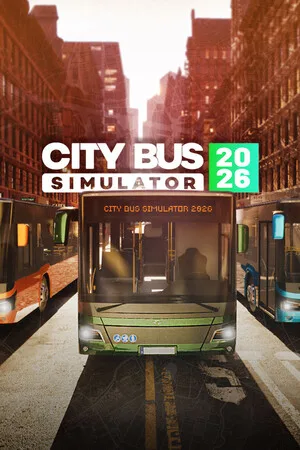
City Bus Simulator 2026
2026
Try the unparalleled adventure behind the bus wheel! Get behind the wheel of City Bus Simulator 2026, the most thrilling and realistic bus simulator. Travel through a massive city area of 40 square kilometers, mastering various bus models with unique characteristics and dynamics. Your task: ensure s
Open card
Urban Strife
2026
Can you survive against all circumstances in the presence of ruthless gangs and resist the horde of zombies, having only a handful of militia fighters at your disposal?
Open card
Backpack Dungeon
2026
Item effects depend not only on characteristics but also on the direction of triggers and connection conditions due to placement. Change positions to alter frequency and routes, creating your own chain rhythm.
Open card

