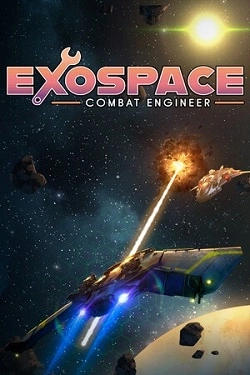
eXoSpace Combat Engineer
2026
Each mission starts with a clean blueprint. You decide what's more important — speed, power, or survival. Balance your energy systems, men
Open card ARTICSTRACKER
You can write to me (contact me) by email or Messenger at this link https://allmylinks.com/pitapitabread and I will help you . M8 Pro Game Stick 4k Lite - from Aliexpress. This stick is very similar to the popular "Game Stick 4k Lite", but the writing "M8 Pro" is on the circuit board. A few people in the G@mestick Lite chat group on Telegram said this firmware works on a different circuit board: X9 V1.3 20230513 (2023-05-13). This is system boot data for a game stick that has PCB markings M8 PRO 2023-02-03 V1.3. System software version is "M8 20230223 release v2.0". View the included photos to see the details up-close. ROMs are not included. - Note that I am not able to share or upload many GB of data from my home internet service, so I upload what I can. Watch this video for more information (PT-BR). https://youtu.be/kGHDhFbpcxE *** You can download the whole image backup Here or THERE , and it is a 26 GB 7z file. Or download another large image file 57GB for a 64GB card HERE , or HERE . The system files DATA04 and DATA05 in the \res folder seems to the sqlite3 games.db database file. You could use a sqlite viewer software such as https://sqlitebrowser.org to possibly view and modify the game list. The correct MD5 hash crc number for my 7z file on this page is: d43862e5809c6aff95a07bf0ef4cedcf You could download the img rar file look in the \roms\img folder and view PNG pictures there to understand what ROM files were included on the factory SD card. The beep sound is off and the menu is set to English. Power off your stick and remove any existing SD card from the stick. * Edit Option 1: Get a good quality SD card that is 16 GB or larger. You don't have to format it. The utility software that you will use can format the SD card for you. Download and unrar the file "win32diskimager-lemfo-m8-5gb.rar" HERE . Download these utility software programs Balena Etcher and DiskGenius . Instead of using Balena Etcher, you could use Win32DiskImager or USBImager. Use Belena Etcher to write the .img image file to a SD card. Now test that this SD card works by putting it in your game stick. Afterwards, use DiskGenius to resize the partition on the SD card, making it bigger. If the SD card won't boot your game stick after using DiskGenius, then you will have to try another partition editor software that does *not destroy the special boot information that is in the .img image file. For example, try Minitool Partition Wizard. Your results may vary. Option 2: Get a fresh good quality SD card that is 16 GB or larger. Be sure that there is only one (single) partition on the SD card. Format it asFAT32 and cluster size should be around 4096 to 8192 bytes. You can use this tool HERE to format FAT32. Download and Unrar the file "lemfo-m8-gamestick-sys-files.rar" and copy all the contents to the SD card. Maintain the file structure and folder structure that you see below on the SD card. Also download the "roms-img.rar" archive and copy the contents to the \roms folder. You can use 7zip, Peazip, command line "unrar" or other archiving software that is compatible with rar version 5 files. SDCARD: download (folder) res (folder) roms (folder) save (folder) ⬇ > download (folder) (put your personal ROM files here) ⬇ > res ⬇ (folder) > settings (folder) > DATA01 > DATA02 > DATA03 > DATA04 > DATA05 > DATA06 > system.img ⬇ > roms ⬇ (folder) > atari (folder) > fc (folder) > gb (folder) > gba (folder) > gbc (folder) > img (folder) > mame (folder) > md (folder) > ps1 (folder) > res (folder) > sfc (folder) The rar file here is 172 MB size, expanded data on SD card is 990 MB size, only a few small roms are included in the small rar/zip file.
en
55bde35ef0d06036f3af1642064786ab0e6367942026
Each mission starts with a clean blueprint. You decide what's more important — speed, power, or survival. Balance your energy systems, men
Open card
2026
Each unit is under your direct control, so the army composition has great significance. Form alliances from
Open card

2026
Before opening a new route, you must study the demand, airport capabilities, runway restrictions, and accessibility
Open card
2026
In the game, Lif gets a magical fairy as the main helper, who can copy various objects and recreate them. Cubes, platforms, items o
Open card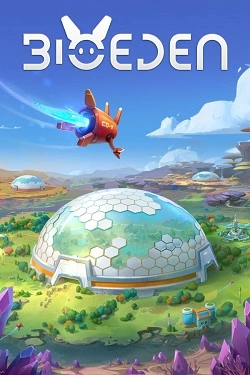
2026
Welcome to BioEd. — A cozy economic strategy where you will build self-sufficient settlements and maintain everything in harmony to bring back extinct animals. You will become the Guardian — the planetary sanctuary keeper. The Cosmic Community has tasked you with reviving a world that has long since
Open card
2026
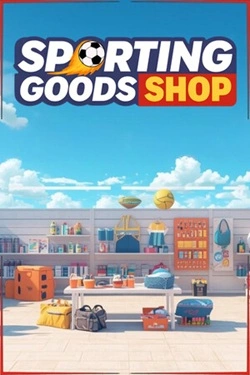
This is a first-person game simulator where you take on the role of a sporting goods store owner.
Open card ARTICS TOOLSОнлайн-инструменты для работы с изображениями, файлами, QR-кодами и веб-технологиями.
 ARTICSNETДомены, хостинг, DNS, SSL, электронная почта и управление интернет-сервисами в единой платформе.🚧 Скоро запуск · В разработке
 ARCTICS NETWORKПроверка IP-адресов, доменов, DNS-записей и диагностика сетевых подключений.