
TORRENT WORLD
StarCraft: Ghost (Xemu HDD Ready)
Xbox · Blizzard Entertainment
StarCraft: Ghost (Xemu HDD Ready) This package contains an Xbox hard drive image with a custom dashboard and StarCraft: Ghost already installed and ready to use with Xemu. Usage Load StarCraft - Ghost (Unreleased).hdd as the hard drive in Xemu: Machine → Settings... → System → Hard Disk Start Xemu without a DVD image loaded . If a DVD is present, Xemu will boot from it instead of the hard drive. After booting, you'll see four options: Play Settings Reboot Power Off Select Play to launch the game. Only use Settings if you need to modify the EEPROM configuration. Under Settings → Video , make sure 720p is selected. Other resolutions may cause graphical glitches. Warning Do not select 1080i . If you do, the dashboard menu will no longer display correctly after rebooting. The reason is currently unknown. These settings modify the Xbox EEPROM, not the game itself. If everything works correctly the first time, there's no need to change anything. Launching from the Command Line To automatically boot the game, create a second Xemu configuration file (for example, xemu_hdd.toml ) based on your normal configuration, but remove the hdd_path entry. Before [sys.files] bootrom_path = 'Path\To\bootrom.bin' flashrom_path = 'Path\To\flashrom.bin' eeprom_path = 'Path\To\eeprom.bin' hdd_path = 'Path\To\hdd.qcow2' After [sys.files] bootrom_path = 'Path\To\bootrom.bin' flashrom_path = 'Path\To\flashrom.bin' eeprom_path = 'Path\To\eeprom.bin' Save the modified configuration using a different filename, such as xemu_hdd.toml . Then launch Xemu with: xemu.exe -config_path "Path\To\xemu_hdd.toml" ^ -hda "Path\To\StarCraft - Ghost (Unreleased).hdd" Example Batch File If you want a launcher that automatically detects whether you're opening an ISO or an HDD image, you can use something like this: cd Path\To\Xemu\Folder IF "%~x1" == ".hdd" goto HDD :ISO xemu.exe -config_path "Path\To\xemu.toml" -dvd_path %1 GOTO end :HDD xemu.exe -config_path "Path\To\xemu_hdd.toml" -hda %1 GOTO end :end Note This release has been patched to display only the 7 playable missions . The original build includes many additional mission entries, but they are unfinished and remain stuck on the loading screen.
Internet Archive
en
- Download torrent · en · 2095375224 bytes
b848345211c541e512d43d24cb9a43258e547e27
Related titles



Escape from Umbra
2026
Umbra hunts you. Her eyes watch you from shadows everywhere, and she won't stop until she finds you and permanently seals your soul.
Open card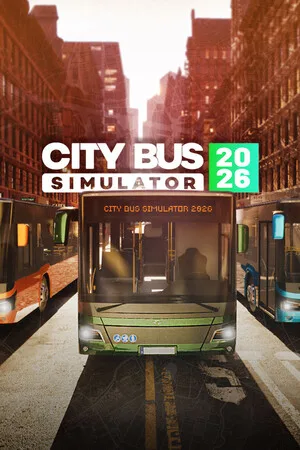
City Bus Simulator 2026
2026
Try the unparalleled adventure behind the bus wheel! Get behind the wheel of City Bus Simulator 2026, the most thrilling and realistic bus simulator. Travel through a massive city area of 40 square kilometers, mastering various bus models with unique characteristics and dynamics. Your task: ensure s
Open card
Urban Strife
2026
Can you survive against all circumstances in the presence of ruthless gangs and resist the horde of zombies, having only a handful of militia fighters at your disposal?
Open card

