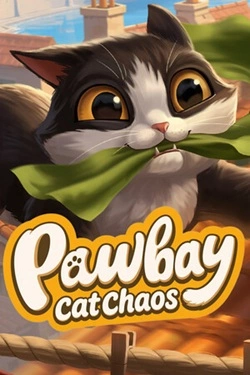
Pawbay: Cat Chaos
2026
City is open for exploration, and you can move around it not only on the streets. The cat can climb roofs, jump on boxes and
Open card ARTICSTRACKER
PlayStation
Please donate to my paypal at paypal.me/psvangorp or ko-fi at ko-fi.com/pitapitabread . You can contact me by email pitabreadandroid (at) gmail.com and change (at) to @ . Here is a backup 64 GB of a M15 M18 M6 game stick 4k lite. The the firmware version is v6.1.2 NOV 27 2024 (20241127) 23:12:36. The chip is MS RK3032. Text on the motherboard is V3.0 M6 II 2025 01 17. Notice the V3.0 is different here compared to other similar motherboards. Another backup for a similar game stick M6 motherboard is available HERE . Download the large 7z file , 44 GB, and unzip it (decompress it). Get a new memory card such as a Sandisk and burn the .img image file in Balena Etcher, " USB Image Tool ", or in Win32DiskImager. Do not use the old chinese memory card - it can cause problems. Check and verify the MD5 hash crc number of the 7z file that you have received in a 7-zip program or in a "hasher" type of program. The correct MD5 hash number of the 7z file is below: 99ce2c3c2bbb5f4e4e59edd471a958c2 You can add games to folders ' SDCARD:/_data/download/platform ' and 'platform' is the name of the game system. The folder path is not roms. See below: / _data download 32x (Sega 32x) arcade (Arcade, FBNEO) gba (Gameboy Advance) gbc (Gameboy Color) psx (Playstation 1) md (Sega Megadrive, Genesis) snes (Super Nintendo, Super Famicom) nes (Nintendo, Famicom 8-bit) ... ... PlayStation games can be in compressed PBP or CHD file format. Also try raw IMG or ISO file format. After you put new games in folders under SDCARD:/_data/download/ then navigate to "User" menu and press the R2 (trigger) button on the gamepad controller, and select "Yes", then the new games will appear at the left side in your menu. - If that doesn't work, then do this: After you add games to the correct folder, go to the main menu, open the Customize menu, press R2 button on controller, choose Yes to confirm the update. You will see the new games in a list at the left side.
b9ffba6952903ff1e5c8e851ebfa332bea4480672026
City is open for exploration, and you can move around it not only on the streets. The cat can climb roofs, jump on boxes and
Open card
2026
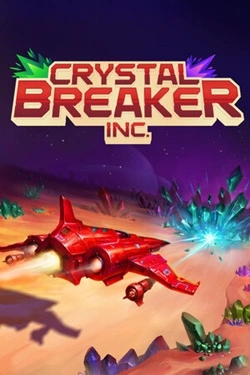
Crystal breaking provides the necessary resources that can be invested in improving the main weapon. More powerful weaponry provides
Open card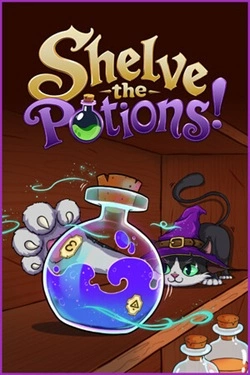
2026
Main activity involves restoring shelves, each of which requires a separate approach. Some rules can be understood by the external
Open card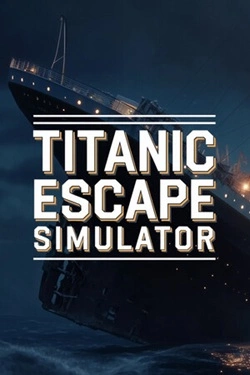
2026
The journey allows you to explore the intricate details of a massive liner and discover areas inaccessible to regular passengers.
Open card
2026
Received hearts allow you to acquire improvements and increase the efficiency of future earnings. The player chooses, n
Open card
2026
Each new open scene adds another element to the gallery, so progression becomes a gradual collection. Bright
Open card
2026
The battlefield can be used not only as a collision point but also as an additional tool. Build walls, block the passage
Open card ARTICS TOOLSОнлайн-инструменты для работы с изображениями, файлами, QR-кодами и веб-технологиями.
 ARTICSNETДомены, хостинг, DNS, SSL, электронная почта и управление интернет-сервисами в единой платформе.🚧 Скоро запуск · В разработке
 ARCTICS NETWORKПроверка IP-адресов, доменов, DNS-записей и диагностика сетевых подключений.