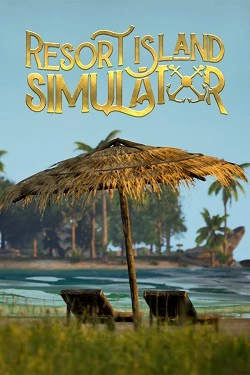
Resort Island Simulator
2026
To have an island capable of accommodating tourists, it must be equipped with all necessary resources. Hunting, growing products and production
Open card ARTICSTRACKER
2024 · Web · Android · PlayStation Portable · Arcade
You can contact me by email pitabreadandroid (at) gmail.com but change (at) to @ . Here is a backup of all games of a 64 GB micro SD card from a gaming HY300 projector console running customized Chinese Android 11 and the GBOX (game) app. You can install more apps via the Google Play Store, such as a lightweight web browser and a file manager or maybe some other emulators. Download the large RAR file , 38 GB. Open the file in Winrar or 7zip program and decompress the file. Burn (record) the image file to a new memory card in Balena Etcher, " USB Image Tool ", or in Win32DiskImager. The correct MD5 hash crc number of the rar file is: 8c1a605a9655b0add73bf5b6cfa34e28 Check and verify the MD5 hash number of the rar file of that you received in the 7-zip program or in a "hasher" program. A backup of the "GBOX" emulation app is available - link Here . Games and game related data are stored on a 64 GB micro SD memory card, inserted into a USB port. The image file size is 62723719168 bytes or 58.4 GB. To add more games, install Microsoft Excel or install LibreOffice Calc. Then watch these two tutorials videos : 1. https://archive.org/details/youtube-loe5In0bh1I 2. https://archive.org/details/youtube--8bR50f-EWo ------------------------------------------------------------------------------------------ There are 1 GB RAM and 8 GB NAND/EMMC internal storage. There is no TF/SD card slot. There is only one USB 2.0 port. There are wireless Wifi and Bluetooth. - I tested both and they work well for me. ☺ The processor chip is Allwinner H713 64bit, but the Android system is running in 32bit mode. The motherboard is Allwinner " sun50iw12p1 ". The graphics processor unit (GPU) is Mali G31. - see these websites - https://github.com/shift/sun50iw12p1-research - https://linux-sunxi.org/H713 A "Gamesir" brand or generic Bluetooth gamepad controller may work better than the included 'PS2' controllers. Notice that the included USB wireless receiver is Not Bluetooth. The Bluetooth receiver component is on the motherboard inside the projector. Menus and settings in the GBOX (game) app are locked and cannot be changed. Button mappings in emulators in the app are locked and cannot be changed. More apps can be side-loaded by downloading an APK file on a PC or other device, saving the APK file on a USB pen drive or USB card adapter and installing the APK file on the projector. You can experiment with the system and install Retroarch app APK to emulate and play many games' systems. The 32bit arm-v7 version or 'universal' version of Retroarch should be installed. Search tutorials about "Retroarch for Android" on Youtube. - https://www.apkmirror.com/apk/libretro/retroarch/ - https://apkpure.com/retroarch/com.retroarch/versions - https://retroarch.com/?page=platforms Also, you can try to install individual emulators such as PPSSPP app for PlayStation portable, or others. The 32bit arm-v7 version or 'universal' version of PPSSPP should be installed. Search tutorials about "PPSSPP for Android" on Youtube. - https://www.apkmirror.com/apk/henrik-rydgrd/ppsspp-psp-emulator/ - https://apkpure.com/ppsspp-psp-emulator-app/org.ppsspp.ppsspp/versions - https://www.ppsspp.org/download/ I recommend that you install an advanced file manager app such as "CX File Explorer" to manage the ROM files, and install a lightweight web browser such as a "UC Mini" or "Opera Mini" or "Puffin Web Browser" to browse internet and download more apps (apk) or ROMS.
619820aa21fb6da457ab6371dd4aa7c656a815692026
To have an island capable of accommodating tourists, it must be equipped with all necessary resources. Hunting, growing products and production
Open card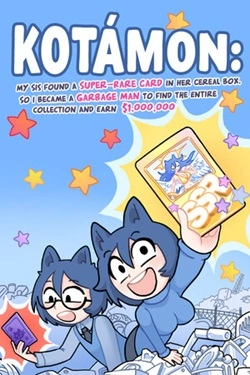
2026
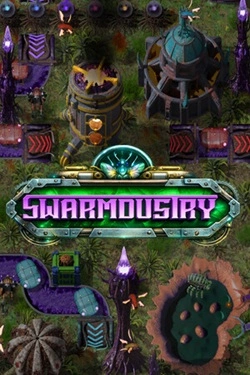
Initially, a significant portion of the work has to be done manually, but over time manual labor gives way to automation. Different presta
Open card
2026
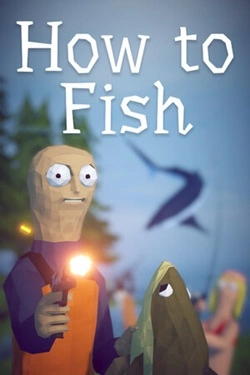
At the beginning, you practically have nothing, so you'll have to buy equipment with money earned from fishing. You can catch fish, sell
Open card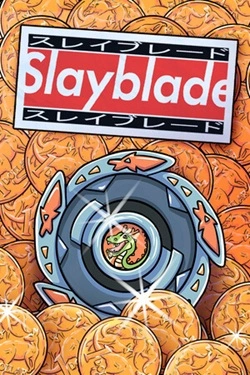
2026
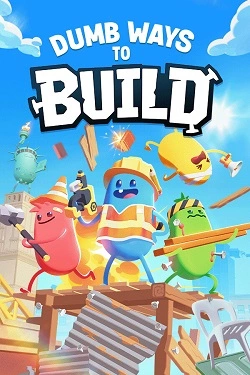
For creating the necessary structures, almost any object that happens to be at hand will suffice. Details can be picked up, rotated,
Open card
 ARTICS TOOLSОнлайн-инструменты для работы с изображениями, файлами, QR-кодами и веб-технологиями.
 ARTICSNETДомены, хостинг, DNS, SSL, электронная почта и управление интернет-сервисами в единой платформе.🚧 Скоро запуск · В разработке
 ARCTICS NETWORKПроверка IP-адресов, доменов, DNS-записей и диагностика сетевых подключений.