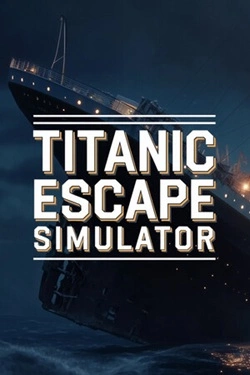
Titanic Escape Simulator
2026
The journey allows you to explore the intricate details of a massive liner and discover areas inaccessible to regular passengers.
Open card ARTICSTRACKER
Windows · SargeCassidy, EbonHawk
Disclaimer: This page does not contain the game itself. Fable 3 is no longer available on Steam. For those who legally own a retail physical copy for the PC, a code is needed to activate the game on Microsoft Live. Unfortunately, Steam and Microsoft no longer provide the codes therefore the PC version of Fable 3 became abandonware. These files have been uploaded to the Internet Archive to preserve the fans' ability to play and enjoy the game. Especially for those who have a legal copy. Details about these files can be found on Steam's " Fable III General Discussions ", Fable SubReddit , and PC Gaming . *Note: I did not create or modify these files. The creators may or may not be accurate. Installation Guide (Fable Reddit) "I wanted to play Fable 3 on PC, so I took a chance and bought a used retail copy that had a valid code in the box. Here's how I got it to work: (1) Install the game from the DVD. I had no problems completing the install. You will need your activation code. (2) Remove the Games for Windows Live + Marketplace programs from your computer, as other guides mention. I didn't need the Games for Windows Live nonsense at all, so don't bother with any other links for newer versions that won't work either. (3) You need to bypass the zero-day Bulletstorm nonsense. I deleted Fable3.exe, Fable3Launcher.exe, Fable3Secu.exe, Fable3.exe.zpd, Fable3Launcher.exe.zpd, and Fable3Secu.exe.zpd from my game installation folder (mine was C:\Program Files (x86)\Microsoft Games\Fable III). Then I downloaded the 3 exe files mentioned here: https://steamcommunity.com/app/105400/discussions/0/351659808480517650/?ctp=2 and copied them into my game installation folder. (4) Attempt to launch the game. You will need your activation code again to satisfy SecuBoot or whatever. It will update your exe files, but the game will not launch yet. (5) Unfortunately, the de-Bulletstorm exe files provided in the link above seem to be from the Steam version, so I needed steam_api.dll copied into my game install folder as well. I used the one I had from my Skyrim install. Many Steam games have it... Perhaps as a bonus you don't need the DVD inserted into the drive to play the game, if you ever did in the past... (6) Download the Fable 3 GFWL remover (0.11) from http://timeslip.users.sourceforge.net/ and place the dll in your installation folder. (7) Profit! You can now launch the game and enjoy Fable 3 on your Windows 10 PC in 2022! Edit: I forgot to add that I did make the 3 exe files mentioned above run in Windows 7 Compatibility Mode, but I don't know if it is necessary." Additionally, if you run into issues about a missing steam_api.dll. Look at the links below. How to Fix the "steam_api.dll is Missing" Error When Launching Games? steam_api.dll free download | DLL‑files.com Retail copy will not link to the windows marketplace :: Fable III General Discussions (Search for the Steam_api.dll)
en
e89cfae9da5b9499c7d0bd6ccba1a24191a0efa62026
The journey allows you to explore the intricate details of a massive liner and discover areas inaccessible to regular passengers.
Open card
2026
Received hearts allow you to acquire improvements and increase the efficiency of future earnings. The player chooses, n
Open card
2026
Each new open scene adds another element to the gallery, so progression becomes a gradual collection. Bright
Open card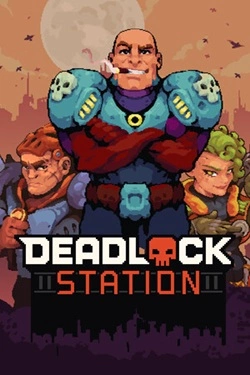
2026
The battlefield can be used not only as a collision point but also as an additional tool. Build walls, block the passage
Open card
2026
The story is built around multiple decisions that determine the direction of the narrative. Different actions open up new events
Open card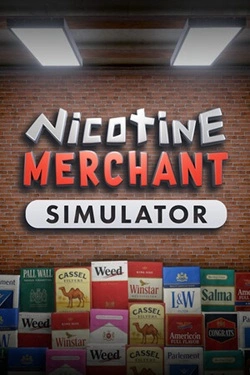
2026
Work begins with manufacturing products and preparing them for sale. Then, finished goods must be packed and placed on
Open card
2026
Numerous levels are filled with mechanical and organic enemies, and the surrounding environment constantly offers new attack methods. And
Open card
 ARTICS TOOLSОнлайн-инструменты для работы с изображениями, файлами, QR-кодами и веб-технологиями.
 ARTICSNETДомены, хостинг, DNS, SSL, электронная почта и управление интернет-сервисами в единой платформе.🚧 Скоро запуск · В разработке
 ARCTICS NETWORKПроверка IP-адресов, доменов, DNS-записей и диагностика сетевых подключений.