Sinner Maker
2026
Player creates characters independently and decides who will become part of the new world. Residents communicate with each other, form relationships, clash
Open card ARTICSTRACKER
2024 · PlayStation
You may contact me by email for assistance, pitabreadandroid @ gmail .com and I will help you. System firmware: SEGA M8 V6.0 V1.0.0 2024-12-05 for various plates 4LAYOUT v1.1 or v1.2 and others. This firmware can recover a plate with markings M8 D2 V1 2026.1 and with the chip HCSEMI A3101 Another copy of this backup is available Here in a 7z file as an image file. Open that link and download the 7z file and extract the contents. There is an .img image file, so burn the image file to a new memory card using Balena Etcher, or " USB Image Tool ". Do not use an old generic memory card. The img file inside the 7z may work on a M8 D2 V1 20226.1 circuit board. Watch this youtube video - link Here . A newer version of the firmware for the red plate M8 4LAYOUT V1.2, 2025.07 is Here -and- Here . * ANOTHER OPTION, DIFFERENT THAN ABOVE Get a new high quality sd memory card, 32 GB . Don't use generic or old cards. Completely delete all partitions and data off of the new card. Format the new card as FAT32 in the program Rufus, "SD Card Formatter", "FAT32 GUI format" or another similar program tool. Be sure only 1 single partition is on the card. Download the large RAR file . Extract the contents of the RAR file to the new sd memory card. Do not include the prefix folder "Game Stick Lite SegaM M8 V6.0 (Firmware V1.0.0" but only extract the games folders ARCADE GBA FC et cetera and the system folders and files cubegm . The correct MD5 hash checksum of the Rar file is: 94ec38f84ce1339d1c3f3e48c4449176 The correct MD5 hash checksum of the 7z file is: 8ec680515cb095b1470b1847313376fa Check and verify the MD5 hash checksum numbers of both the 7z file and the Rar file in a "hasher" type of program or in the 7-zip program. You can add games by this method. You will need to have a Microsoft Excel or LibreOffice Calc installed. * Important: Be sure to make a backup of the csv gamelist text files before editing them.* Copy new games to each of the console folders PS, GBA, SFC, (et cetera). "PS" is for Playstation 1. The file format for Playstation 1 is iso and img. You can use tools such as AnyToIso, UltraIso and "cue2ccd" to convert other file formats to iso or img. Do not copy new games to the roms folder. This is not the correct location. In each folder, you will find a file "filelist.csv". ** Important: First make a backup of these csv files before editing them.** I recommend to open the filelist.csv file in LibreOffice Calc because it has better translation and language support. Open the "filelist.csv" file, and add the file name and 3 letter extension of the new game in column A, add the English title of the game in column B and add the Chinese or again English title in column C. Save the file. Make game pictures or cover art of games and name their file the same as the game file. For example , "Xena - Warrior Princes.png" picture is for a PS1 game in the PS folder with the same name "Xena - Warrior Princes.img"
afbb9ac92ff7dc7e3fcbdfc331e1605aa1c859032026
Player creates characters independently and decides who will become part of the new world. Residents communicate with each other, form relationships, clash
Open card
2026
Each mission starts with a clean blueprint. You decide what's more important — speed, power, or survival. Balance your energy systems, men
Open card
2026
Each unit is under your direct control, so the army composition has great significance. Form alliances from
Open card

2026
Before opening a new route, you must study the demand, airport capabilities, runway restrictions, and accessibility
Open card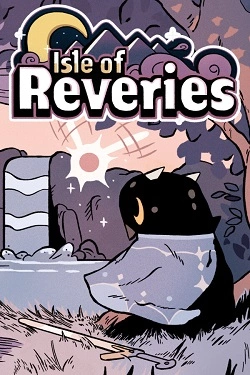
2026
In the game, Lif gets a magical fairy as the main helper, who can copy various objects and recreate them. Cubes, platforms, items o
Open card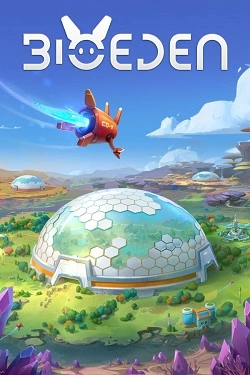
2026
Welcome to BioEd. — A cozy economic strategy where you will build self-sufficient settlements and maintain everything in harmony to bring back extinct animals. You will become the Guardian — the planetary sanctuary keeper. The Cosmic Community has tasked you with reviving a world that has long since
Open card
 ARTICS TOOLSОнлайн-инструменты для работы с изображениями, файлами, QR-кодами и веб-технологиями.
 ARTICSNETДомены, хостинг, DNS, SSL, электронная почта и управление интернет-сервисами в единой платформе.🚧 Скоро запуск · В разработке
 ARCTICS NETWORKПроверка IP-адресов, доменов, DNS-записей и диагностика сетевых подключений.