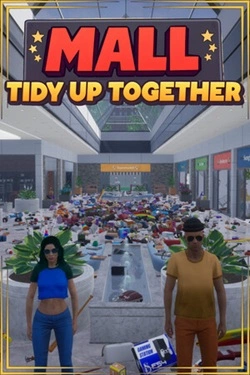
Mall: Tidy Up Together
2026
In the shopping center, there are 3682 different products distributed among stores of various categories. There is a supermarket
Open card ARTICSTRACKER
Android · PlayStation
Here is a backup of games for a P30 gaming projector console. The projector has Android 11 and has a gamebox app for emulating the games' systems. There is no EmuElec system. The backup image is 53739520000 bytes, or about 50 GB. The primary processor of this device is either Allwinner or Rockchip Download the RAR file 28 GB, and decompress the rar file. Get a new SD memory card and burn the image file to the new card using " USB Image Tool " , or Win32DiskImager or Balena Etcher. Do not use any old or generic memory cards because they can cause problems or lose data. The correct MD5 hash crc number of the rar file is: 3ec4287559a9097b57e69fc8d112d40c Check and verify the the MD5 hash of the rar file that you received in a 7-zip program or in a "hasher" type of program. Here is a backup of the emulator (emulation) apps. https://archive.org/download/p30-max-game-projector-sdcard-64gb/p30max-apk-app-backup.zip Game ROMS are inside the folder \games There are sub-folders named as the console platform such as: \games\arcade -for various arcade \games\cps1 -for Capcom 1 arcade \games\atari2600 -for Atari 2600 \games\snes -for Super Nintendo (Super Famicom) ... et cetera ... PlayStation 1 games can be in 4 different file formats and they all will load and play. Performance and speed may different for each rom file. Each game should be contained in one single file. The file formats are raw IMG and BIN, and compressed CHD and PBP. Notice: multiple track2 track3 type of BIN files may not work or the music may be omitted. I recommend to use CHD or IMG formats for PlayStation 1. FinalBurnNeo (FBNEO) roms can be put into the \games\arcade folder. Sega Geneis (megadrive) roms can be put into the \games\md folder. Capcom arcade games go into each respective folder cps1 , cps2 or cps3 There are several different versions and releases of MAME and the MAME roms set. I don't know which version of MAME roms can be put into the \games\mame folder but you can download one or two MAME roms from different pages on the internet and try them. I suppose that "MAME2003Plus" roms from the Internet Archive https//archive.org will work. You can add games by this method: * This is important! * First, make a backup of the text file \games\[console]\[console]_list.txt or # another such as first backup \games\cps1\cps1_list.txt or \games\cps1\ps1_list.txt ! Open each \games\[console]\[console]_list.txt file in an advanced text editor such as Notepad++ (plus plus) that can read and write Unix LF text files. I do Not recommend Windows' Notepad. Replace [console] with the name of the game platform console such as: \games\cps1\cps1_list.txt \games\cps2\cps2_list.txt \games\cps3\cps3_list.txt \games\gba\gba_list.txt \games\gbc\gbc_list.txt ... et cetera ... View the contents of each file and study the pattern of text that is inside in the file. Inside the text file, write the folder path and game's file name and 3 letter extension. * Before you save the file, be sure you already have made backup. Save and close the text file, and exit the editor program. If the GAMEBOX app or game list does not load, does not work, then one or more text files which you edited can be malformed or corrupted. Be sure to use Notepad++ (plus plus) or advanced text editor, and be sure to correctly write and spell each line of text in each file. Also be sure that each ROM file is valid, intact and is placed in the correct folder, and is compatible with the emulator. You can also install emulator apps in Android such as an old version of PPSSPP, 32bit arm-v7, for Playstation Portable or install RetroArch 32bit arm-v7. https://www.apkmirror.com/apk/henrik-rydgrd/ppsspp-psp-emulator/ppsspp-psp-emulator-1-19-3-release/ppsspp-psp-emulator-1-19-3-4-android-apk-download/ or "all variants) https://www.apkmirror.com/apk/henrik-rydgrd/ppsspp-psp-emulator/#variants
b6c6ac3acee8e0fe1c5be4daa0759733fd8e43a22026
In the shopping center, there are 3682 different products distributed among stores of various categories. There is a supermarket
Open card
2026
Three weeks become the foundation for developing relationships between characters. Shared time allows for gradual understanding
Open card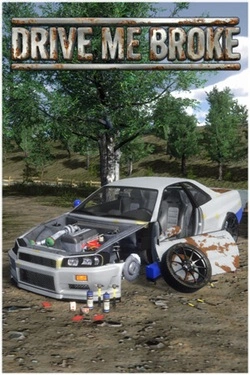
2026
Car is assembled down to the details: you can disassemble old cars, repair parts and manually work on mechanics. More so
Open card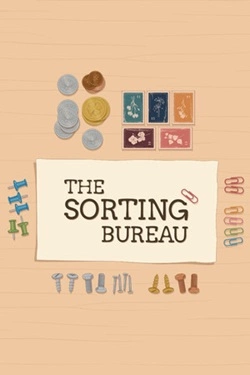
2026
Each order consists of multiple items that differ in shape, material, and purpose. They must be picked one by one and placed
Open card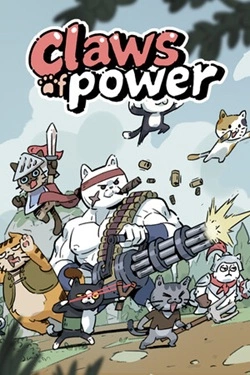
2026
Each cat can perform their role in battle, so the team composition is very important. You can assemble different combinations of fighters, exp
Open card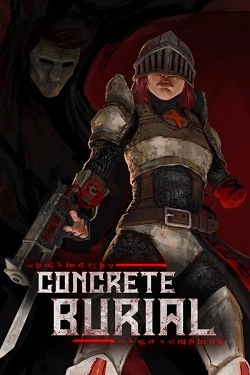
2026
Cemeteries represent a dark combination of ancient rooms and rough brutalist architecture, where behind every turn may hide
Open card
2026
The story goes beyond the carnival and allows you to experience other tense locations. Olivia interacts with characters and calls them
Open card
2026
Each heroine gets her own story line, so communication with fairies gradually reveals their personalities, desires and abilities. Pom
Open card ARTICS TOOLSОнлайн-инструменты для работы с изображениями, файлами, QR-кодами и веб-технологиями.
 ARTICSNETДомены, хостинг, DNS, SSL, электронная почта и управление интернет-сервисами в единой платформе.🚧 Скоро запуск · В разработке
 ARCTICS NETWORKПроверка IP-адресов, доменов, DNS-записей и диагностика сетевых подключений.