Backpack Dungeon
2026
Item effects depend not only on characteristics but also on the direction of triggers and connection conditions due to placement. Change positions to alter frequency and routes, creating your own chain rhythm.
Open card ARTICSTRACKER
Sonicbot
[Gamestick X2 Ultra V1.5 FIXED (NO_ROMS) by Sonicbot] I/ Foreword: • Please read the README_GSTICK_X2_SNBOT_EN.txt (English) or README_GSTICK_X2_SNBOT_FR.txt (français) files in the directory carefully before use. • ROMs are not included for copyright reasons. In order for the submenus for the different consoles to appear, you must restore the ROMs from your personal backup. II/ Why this project? I received a GameStick X2 Ultra that seemed very promising on paper. However, like many users, I was quickly disappointed by the system provided by default with the GameStick X2. It suffers from numerous critical bugs and a lack of optimization. Furthermore, the original system limits the use of RetroArch to the Quick Menu. It is therefore not possible, for example, to modify or remap controller inputs directly from RetroArch. This limitation cannot be fixed simply by modifying the configuration files, as it results from a "hard-coded" modification to the RetroArch source code, followed by its recompilation by the GameStick manufacturer. This limitation is particularly problematic with certain Dreamcast games, such as Sonic Adventure 2, which require specific controller configurations. I therefore decided to start this personal project in order to build a clean and debugged system from the ground up, while keeping the essential features of the original system. I hope this work will be useful to other GameStick X2 users, and more generally to people who purchase pre-configured EmuELEC systems. This project has also allowed me to deepen my knowledge of GNU/Linux and EmuELEC, and to better understand how this type of embedded system works. III/ Release Features • ImageUSB utility and a minimum 64 GB microSD card required. • Compatible with the GameStick X2 Ultra with orange and grey wireless controllers. Other versions have not been tested. • Final version 1.5 (I have since sold my GameStick). • Based on the official EmuELEC 4.3 release, with no modifications to the source code for copyright reasons (unlike the original system provided with the GameStick X2 Ultra). For more information, search for the EmuELEC project on GitHub. • Advanced RetroArch/EmuELEC settings restored, and several core launch issues fixed. However, one core remains problematic and could not be made fully functional despite my attempts. • Reuses the theme, boot video, bezels, scraping configuration, and "Empire Storm" splash screen from the 256 GB version. • Watara Supervision is accessible from the interface, with dedicated artwork and scraping. Interestingly, the games for this console are included in the original 256 GB version, but the default theme does not provide access to them. • Significant Nintendo 64 and Dreamcast optimizations, allowing certain games that were previously unplayable or severely slowed down to run properly. IV/ Tips • Unlocking advanced options: EmuELEC starts in "Kiosk" mode. Enter B, B, B, A, B (or A, A, A, B, A if the buttons are reversed). To avoid corrupting the microSD card, switch back to Kiosk mode before using "Shutdown". • Cooling: it is recommended to add a small USB fan to reduce heat and improve the long-term reliability of the stick. • microSD card: the included card is very poor quality. It is recommended to create a backup image of it using a tool such as ImageUSB. • Internet access: to access the Internet, use a USB hub with a Wi-Fi adapter equipped with an RTL8811CU chipset. • Power supply: a sufficiently powerful power supply can improve stability and performance. If possible, use a fast charger. V/ For information: Default operating system of the GameStick X2 Ultra The original system is based on EmuELEC 4.3, the latest version compatible with Amlogic S905L CPUs, but it has been heavily modified by the manufacturer to restrict access to certain options. The displayed EmuELEC version and CPU type are also modified/hidden by default, apparently to mislead consumers, with an "Empire Storm" splash screen and intro video. VI/ For information: Default partition layout of the 256 GB version • STORAGE (ext4): GameStick configuration files located in /.config/. Accessible under Linux with root privileges, but not directly accessible from Windows. • EMUELEC (FAT32): EmuELEC system files (kernel.img, SYSTEM), dtb.img in SquashFS format, and the boot dtb.img file for the Amlogic S905L, along with their associated MD5 checksums. • game (FAT32): ROMs, images, and videos generated by the scraping process. It also contains Watara Supervision ROMs (a handheld console similar to the Game Boy that was released in Hong Kong and Taiwan), whose access is simply hidden from the interface. • Unallocated space: approximately 1.4 GB. VII/ For information: GameStick X2 Ultra hardware specifications • CPU: Amlogic S905L • RAM: 2 GB • No Reset button or Android ADB mode, preventing another system from being installed directly. The workaround is to use an equivalent device with a Reset button to install the system, then put the m
en
d894a49b68de1af2f702c2fc6f88b4bd6bdc02c62026
Item effects depend not only on characteristics but also on the direction of triggers and connection conditions due to placement. Change positions to alter frequency and routes, creating your own chain rhythm.
Open card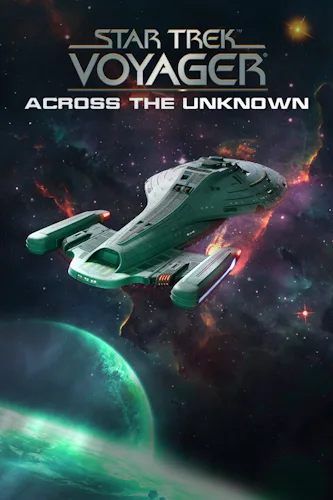
2026
Star Trek: Voyager - Across the Unknown - this is a survival strategy with a deep storyline. In your hands will be the fate of the legendary starship. Take control of the ship, resources, and make complex decisions. Will you deliver the ship and crew home?
Open card
2026
Frostrain :2 — это рогалик, основанный на построении синергий, с ярко выраженным управленческим элементом. В этом замёрзшем мире вам предстоит стать последним машинистом человечества и повести пассажиров за собой. Получайте поезда, размещайте и усиливайте их, производите счастье и принимайте решения
Open card
2026
In the dark waters of the abandoned fishing village, stretching along the coast, the captain of the most unusual submarine in the world was killed. Some claim he is immortal and travels through time on it. Others say he was a vampire, eternally imprisoned in the depths of the ocean by a curse...
Open card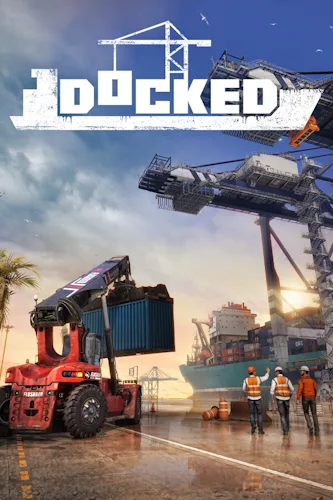
2026
You don't get to rest in the port. Your father's dock was destroyed by a terrible hurricane — take on the responsibilities of the senior operator and deal with urgent matters. Unload ships, supply arriving delivery personnel with necessary materials or medications for those in need, and maintain lar
Open card
2026
The continent is divided among powerful states growing in strength and wealth, while city-states rise to prominence due to their mastery in trade and commerce. These powerful trading republics stand above their rivals — from Tripoli to Granada and from Novgorod to Genoa. You are the leader of one of
Open card
2026
This is a first-person simulator where you take on the role of a shopping center owner.
Open card
 ARTICS TOOLSОнлайн-инструменты для работы с изображениями, файлами, QR-кодами и веб-технологиями.
 ARTICSNETДомены, хостинг, DNS, SSL, электронная почта и управление интернет-сервисами в единой платформе.🚧 Скоро запуск · В разработке
 ARCTICS NETWORKПроверка IP-адресов, доменов, DNS-записей и диагностика сетевых подключений.