

TORRENT WORLD
M8 M15
2024 · PlayStation
Please donate to my paypal at paypal.me/psvangorp or ko-fi at ko-fi.com/pitapitabread . You can contact me by email pitabreadandroid (at) gmail.com and change (at) to @ . This is a backup for a 128 GB memory card and for a M8 M15 v9.0 v01 v1.0 2024-04-30 066 V8 2023-10-06 RK3032 game stick that appears to run a special version of Emuelec system software. Sometimes the software is called SpectralElec . Thousands and thousands of games are included and none were removed. There is a similar backup file available for a 64 GB and it is HERE . Download the large 7z file 51 GB from Here , and first decompress it in 7zip or in Winrar. Burn the .img image file to a new memory card such as a Sandisk or Kingston by using Balena Etcher, Win32DiskImager, or USB Image Tool . Do not use any old, generic chinese memory cards because they are bad quality and delete data. People in the Russian forum stick-ow.pro wrote that OpenWorld firmware will work on this game-stick motherboard. Get OpenWorld (for RK3032) from HERE and HERE . Check and verify the MD5 hash checksum number of the 7z file that you have recieved in a 7-zip program or in a "hasher" type of program. The correc MD5 hash number is written below: 9bdb1771e57f6f45c4db99231984d500 You can use the program FDM www.freedownloadmanager.org and the browser addon (or extension) for Firefox or Chrome to better download large files. This program ensures the validity and integrity of downloaded files. The addon / extension is required for best results and it works in Firefox, Chrome, Brave and Edge browsers. Here is a list of the names and sizes (in bytes) of partitions that are on the SD memory card. There are a total of 5 (five) partitions. The last partition called 'userdata' is formatted as Linux EXT4. Games are in the 'userdata' partition. 1048576 uboot 2097152 trust 9437184 boot 92160000 rootfs 104835801082 userdata (games are here) To add games to the SD card, open DiskGenius ( download here or here ) . In DiskGenius, you may see 2 or 3 partitions on the SD card. On the far left side of the screen, go to the last partition listed on the SD memory card that is called 'game' or 'userdata' (in English). Open the 'roms' folder, and copy games to a folder that is respective of the platform such as 'psp' for Playstation Portable, or 'snes' for Super Nintendo, etc. Here is the structure of files and folders in the last partition on the sd memory card. lost+found (folder) alsa-lib (folder) assets (folder) cores (folder) emuelec (folder) i18n (folder) lib (folder) minigui (folder) ppsspp (folder) retroarch (folder) share (folder) .config (folder) .emulationstation (folder) emulationstation system file for menu ffplay system file for playing video/audio media parameter system file, uknown ppsspp.sh system file for PPSSPP emulator PPSSPPSDL system file for PPSSPP emulator swapfile virtual RAM file roms (folder) ADD YOUR NEW GAMES HERE ...etc...
Internet Archive · 9.0
- Download torrent · · 54731472896 bytes
fbb0f0c089a955b4eadf7c5f477e954b6b01ec0b
Related titles
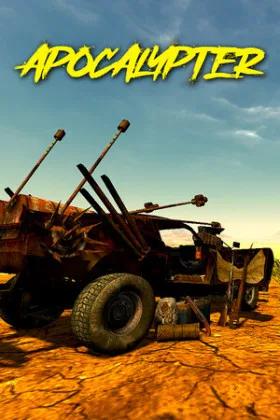
Apocalypter
2026
The car here can be assembled almost without restrictions: parts can be installed on different vehicles regardless of their original purpose
Open card
Tasty Chef
2026
The layout of the space directly affects the ease of work, so free placement of equipment, workstations, and storage areas allows self
Open card
Breakout Garage
2026
Each vehicle can be modified both externally and technically, with the installed components altering its physical characteristics
Open card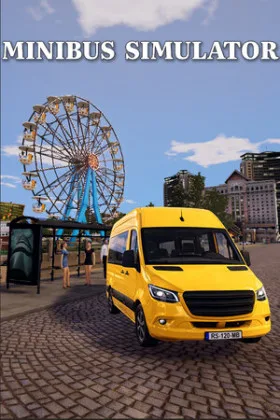
Minibus Simulator
2026
Each trip begins with selecting a route and exiting the line. At stops, you must pick up passengers and deliver them to their destination
Open card
ToonSouls Maker
2026
Editor allows you to define the device of each stage and place obstacles where they will create the greatest pro
Open card

Soggy Beans
2026
Aquatic inhabitants differ in shape and size, and their appearance does not follow a strict schedule. You can occasionally check the game, z
Open card

