
TORRENT WORLD
Galisteo Cobalto 10 EmuElec 4.8ng with games S905y2 S905x2 S905x3 S905x4 S922x backup (128GB)
2025 · Galisteo
This is a copy of Galisteo Cobalto release 10, with Emuelec 4.8ng, and with 18206 games already included and setup for you. The file is a 'img' disk image and the size of it is about 119.1 GB. Read the official Wiki of EmuElec on the Github website to know which devices are supported (and not supported). Use Google or Duckduckgo to search for the link of the Wiki. Watch these videos Here and Here . First Login to this Internet Archive website. Download the large image file (.img) "Cobalto_Emuelec_S922x_128GB_v2(v4.8).img", and record it to a new 128GB memory card by using the " USB Image Tool " program (from the alexpage .de website), Balena Etcher from a balena website, or Win32DiskImager, or USBImager program from Gitlab. Do not use any old or generic Chinese memory card because it is low quality and it erases data. Verify the exact size of the image file and md5 hash checksum of the image file in the program 7-zip or in a hasher (hashing) program. The exact size of that file in bytes is 127865454592 . The md5 hash checksum of the file is 3032985ca952879bf5951612dc732161 . If the size or hash of your file is different, then your download may have not completed or it was interrupted because something happened to your PC or internet connection. Also, first Login to this website The Internet Archive before downloading a file. Watch these two tutorials videos for more information. 1. https://youtu.be/YM2CE6zKvoo 2. https://youtu.be/_hFy8XoxqnI 3. https://youtu.be/a6NbjnpW-CM I recommend that you use a download manager (gestor de descargas) program to download large files. It works much better and is more reliable than a web browser. Free Download Manager and AB Download Manager are good programs for this purpose. *Also install their extensions (addons) in Chrome or Firefox web browsers. For different devices, you should change the dtb.img file on the memory card before trying to boot Emuelec in your device. Get an appropriate file from the 'device_trees' folder, copy it to the root \ of the memory card and rename the file to dtb.img . More dtb files are available inside this compressed zip file 'device_trees_emuelec_4.8ng.zip'. S905y2 - g12a_s905y2_2g.dtb or g12a_s905y2_4g.dtb S905x2 - g12a_s905x2_2g.dtb or g12a_s905x2_4g.dtb S905x3 - sm1_s905x3_2g.dtb or sm1_s905x3_4g.dtb S905x4 - sc2_s905x4_2g.dtb or sc2_s905x4_4g.dtb S922x - g12b_s922x * (various suffixes of the file names) A311d - g12b_a311d * (various suffixes of the file names) ... et cetera ... consult the official EmuElec Wiki on Github for more information
Internet Archive
- Download torrent · · 127947243520 bytes
f36099da933e2fd93d56250ffa7850f5f1cdccc3
Related titles

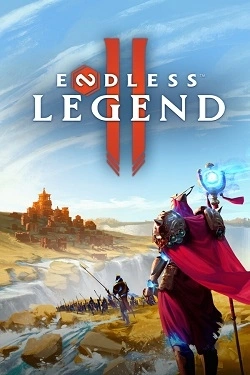
ENDLESS Legend 2
2026
ENDLESS Legend™ 2 – fantasy strategy where you manage diverse factions that build magnificent empires and wage wars on planetary scales in a changing oceanic world on the brink of death. Catastrophes have disrupted the natural balance, and the landscape shifts over time, opening new territories for
Open card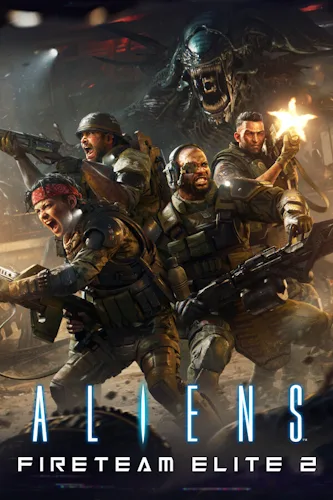
Aliens: Fireteam Elite 2
2026
The team now consists of four fighters, expanding team capabilities. Each class has its own
Open card
Cult of PiN
2026
Each table has its own features, opponents, and rules, so the same tactics may not always work as well.
Open card
Sinner Maker
2026
Player creates characters independently and decides who will become part of the new world. Residents communicate with each other, form relationships, clash
Open card
eXoSpace Combat Engineer
2026
Each mission starts with a clean blueprint. You decide what's more important — speed, power, or survival. Balance your energy systems, men
Open card

