Jumper EZBook X3 OEM Ripped Drivers
2023
These drivers are ripped straight from a OEM Windows 11 install from a stock Jumper EZBook x3.
Open card ARTICSTRACKER
operating-system · utility · video · Windows · KORE INDUSTRIES
A Dynamic Island-style notch for Windows 11 and 10. Try it free for 7 days. $9.99 once. No subscription, no account. That is the US price; the Store shows the price for your country. WHY NOT A FREE NOTCH APP? If you only want the look, the free ones are good. NotchPixel adds an FPS/CPU/GPU/RAM strip and reminders over fullscreen games, one mute key for every app plus a call timer, files to your phone on the same Wi-Fi with no app or account, a Twitch/YouTube chat drawer and an OBS REC pill. It uses about 13 MB in Task Manager and 0% CPU at idle, runs on Windows 10 version 2004 and later and on Windows 11, and comes in 21 languages. AT THE TOP OF YOUR SCREEN NotchPixel puts a notch at the top centre of your screen. Rest the pointer on it and it opens a card; move away and it is gone. It never takes your clicks. YOUR PHONE AS A CONTROLLER PC Deck turns your phone into a controller for this PC. Turn it on in the island's new Deck tab and scan the code for a trackpad, music controls, your apps, and modes for games, slides and movies. It stays off until you turn it on, and you allow each phone yourself. On iPhone, add it to your Home Screen for full screen. Your phone and PC need the same Wi-Fi, with the network set to Private in Windows. The phone's browser shows a certificate warning the first time, and you choose to continue. A TASKBAR, IF YOU WANT ONE NotchPixel taskbar (Settings > Taskbar): a notch along the bottom of your screen in place of Windows' taskbar, with Start, your pinned and open apps, the song and timer, tray icons, quick settings and the clock. It follows the apps you pin in Windows and steps aside for games. FILES TO YOUR PHONE Drop a file on the notch and it waits on the shelf while you find the right folder, then drag it out into any app. To send it to your phone, scan the QR code with the phone's camera: the file opens in the phone's browser, with no app and no account on the phone. Both devices need to be on the same Wi-Fi, with the network set to Private in Windows. It works the other way too: send photos, files and text from the phone to the PC. IN GAMES In a fullscreen game the notch steps aside, or becomes a slim strip with your frame rate, CPU, GPU and RAM. Reminders you set still appear over the game, and the chat drawer and a small browser drawer can stay open beside it. Set the game to borderless or windowed fullscreen: in exclusive fullscreen nothing can draw over a game. The FPS number comes from Windows' own frame events, nothing is injected into the game, and it needs a one-time Windows permission. ON CALLS Ctrl+Alt+M mutes your microphone in every app at once, because it mutes the microphone in Windows itself. While any app is using the mic, a call timer shows on the notch. The Calls tab has the mute switch, your speaker and microphone, and a camera mirror for a quick look before you join. MUSIC AND THE WINDOWS POP-UPS See what is playing in any app or browser, with the artwork, and play, pause, skip or scrub without hunting for the window. Volume, brightness, battery and headphone pop-ups appear at the top centre instead of the Windows flyouts. LYRICS Turn on lyrics and a button in the music card opens a drawer for the song: its cover, blurred, behind the words, its colours on the line being sung, and the lines scrolling along with the music. Click a line to jump there. To find them, the song's title, artist, album and length go to LRCLIB, a free community lyrics library, once per song. Off, nothing about your music leaves your PC. Lyrics come up for songs from music apps and sites: Spotify, YouTube Music, SoundCloud, Apple Music, Amazon Music and more. Music videos are left out, since their intros and edits would put the lines out of time. CLIPBOARD AND NOTIFICATIONS It keeps the text you copy, even after a restart, encrypted for your Windows account. Pin a line to keep it for good. Copies from password managers are skipped. Your notifications are mirrored on the notch and kept in one list, and they never leave your PC. FOR STREAMERS AND CREATORS Twitch and YouTube chat in its own drawer. A REC or LIVE pill from OBS Studio with the elapsed time and the scene, and keys to start and stop. Choose the folder your video editor renders to, and a pill shows the export's size, speed and time, then tells you when it is done. Ctrl+Alt+C reads the colour under the pointer and copies its hex code. FOR YOUR SCRIPTS Any program on your PC can put a line on the notch or a live tile in the card, through a local address that only this PC can reach, or from the command line. A finished build, a failed test or a coding agent that is done shows up at the top of your screen. EVERYTHING ELSE Brightness and volume sliders, and switches for Wi-Fi, Bluetooth, night light, focus assist, mute and power mode. Screenshots, snips and screen recording, with your voice if you want it. Six slots for your favourite apps, each with an optional shortcut that works even from a fullscreen game. The date, your n
en
cc0898194428f8a0402fa1dd9bcbb19662189b752023
These drivers are ripped straight from a OEM Windows 11 install from a stock Jumper EZBook x3.
Open card
2023
Drivers made by GitHub user K11MCH1 for emulators — Yuzu, Dolphin, Vita3:K, Winlator, Skyline Purple, Edge, Strato, PPSSPP. Currently, K11MCH1 no longer develops drivers due to Nintendo's demands for Yuzu, but his friend Weab Chan is developing new drivers for Snapdragon Gen processors.
Open card2023
Official Nitro Sense utility for Acer Nitro 5 AN515-58 laptops. This software allows users to monitor system performance, control fan speeds, and manage power plans. Version: 3.01.3052_20230420 Operating System: Windows 11 x64 Hardware Compatibility: Acer Nitro 5 (Model AN515-58)
Open card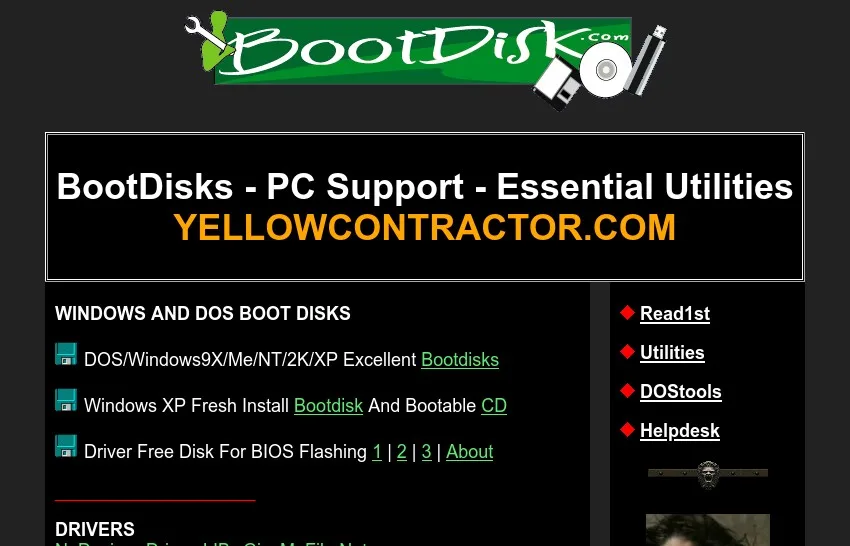
2023
Bootdisk.com is a website that probably many PC tinkering geeks were familiary with back in the '00s. I don't know how well did the Wayback Machine preserved the downloable utilites, so I have fetched every page and program from the site myself. (Making this a separate entry from the Windows XP back
Open card ARTICS TOOLSОнлайн-инструменты для работы с изображениями, файлами, QR-кодами и веб-технологиями.
 ARTICSNETДомены, хостинг, DNS, SSL, электронная почта и управление интернет-сервисами в единой платформе.🚧 Скоро запуск · В разработке
 ARCTICS NETWORKПроверка IP-адресов, доменов, DNS-записей и диагностика сетевых подключений.